

Your DTF printhead determines three things: print speed, print quality, and machine uptime. Most entry-level printers use XP600 heads; industrial machines rely on i3200 heads. Here is how the choice affects your bottom line.
We build DTF printers with XP600, F1080, and i3200 printheads in our factory. We’ve installed thousands of each. This article compares them on the dimensions that actually affect your daily production: speed, reliability, replacement cost, and which one matches your order volume.
If you’re choosing a complete DTF printer rather than just the printhead, our DTF printer buyer’s guide matches machines to budgets and volumes. For a broader comparison of all t-shirt printing technologies, see our complete methods comparison guide. This article focuses specifically on the printhead decision.
Want to see real print output from each printhead side by side? Send us your design and we’ll print it on XP600, F1080, and i3200 — you decide which quality meets your standard.
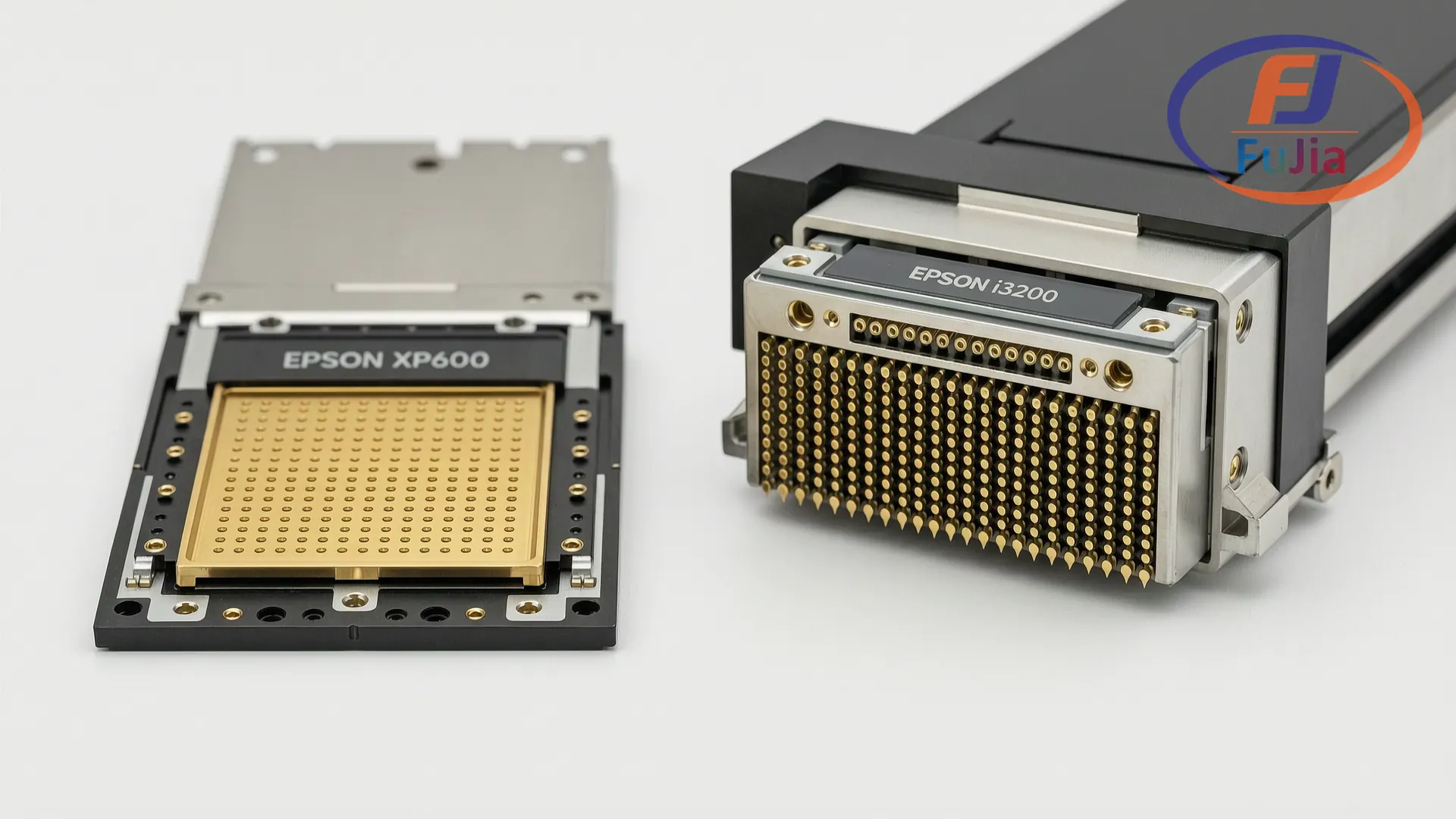
At a Glance: XP600 vs i3200 vs F1080
| XP600 | F1080 (XP600 Gen2) | i3200-A1 | |
|---|---|---|---|
| — | ———– | ———————- | ————- |
| Nozzles | 1,080 (6 channels × 180) | 1,080 (6 channels × 180) | 3,200 (4 channels × 800) |
| Native Resolution | Up to 1,440 × 1,440 dpi | Up to 1,440 × 1,440 dpi | Up to 1,200 × 1,200 dpi |
| Droplet Size | 3.5 picoliters (fixed) | 3.5 picoliters (fixed) | 3.5 picoliters (variable, 3.5-7) |
| A3 Print Time | 3–6 minutes | ~3 minutes | 1–2 minutes |
| Max Production/Day | 50–80 A3 sheets | 60–100 A3 sheets | 150–300 A3 sheets |
| Printhead Lifespan | 8–14 months | 10–16 months | 12–18 months |
| Replacement Cost | $300–400 | $350–500 | $600–1,200 |
| Annual Head Cost (daily use) | $300–500 | $250–400 | $400–800 |
| White Ink Circulation | Usually manual | Usually manual | Standard (automated) |
| Best For | Under 30 orders/day, startups, budget builds | 20–50 orders/day, XP600 upgrade path | 50–200+ orders/day, production shops |
XP600 Printhead: The Workhorse for Small Shops
The XP600 is the most installed printhead in the entry-level DTF market. It originally comes from Epson’s wide-format printer line (the SureColor series), which means it was designed for production use — not adapted from a desktop photo printer.
What it does well:
The XP600 prints at 1,440 dpi with 1,080 nozzles across six channels (CMYK + White + White, or CMYK + 2 specialty). On a standard A3 DTF print at high quality, expect 3-6 minutes per sheet. At 3 minutes per sheet, you’re producing about 20 A3 transfers per hour. At 6 minutes (maximum quality), about 10 per hour.
In our factory testing, the XP600 reliably delivers 8-14 months of daily use before nozzle degradation requires replacement. Print shops running 5-6 hours per day typically replace their XP600 head once every 10-12 months. Shops running 2-3 hours per day get 14-18 months.
The replacement cost of $300-400 makes the XP600 the cheapest printhead to replace. Combined with its lower initial printer cost (XP600 machines start at $2,000-3,000 complete), this is the lowest total cost of ownership of any DTF printhead.
What it doesn’t do well:
The XP600 runs hot under sustained production. After 3-4 hours of continuous printing, print quality degrades as the head temperature rises. You’ll notice minor banding in solid color areas and slightly softer edges on small text. A 15-minute cool-down restores quality. This matters if you’re printing all day, every day.
Most XP600 machines lack automated white ink circulation. You’ll manually shake white ink bottles and run a quick cleaning cycle each morning. Budget 15-20 minutes daily for this routine.
The real-world XP600 owner profile: Someone producing 20-50 A3 transfers per day, 4-5 days per week. DTF is their business, but not their only machine or their only revenue stream.
i3200 Printhead: The Production Engine
The i3200 is Epson’s industrial printhead, designed for wide-format production printers that run 8-12 hours daily. In DTF applications, it uses 3,200 nozzles across 4 channels. That’s triple the nozzle count of the XP600, and it shows.
What it does well:
An i3200 machine prints an A3 sheet in 1-2 minutes. At 1.5 minutes per sheet, you’re producing 40 A3 transfers per hour. A dual-head i3200 machine cuts that to under 1 minute per sheet, or 60+ transfers per hour. Industry testing confirms the i3200’s sustained throughput advantage for daily production environments.
The i3200 handles sustained production without quality degradation. In our factory, we run i3200 DTF printers for 10-hour shifts without cool-down pauses. Print quality at hour 10 matches hour 1. This is the defining difference: an XP600 needs rest periods; an i3200 does not.
Lifespan is 12-18 months under daily production load, and the printhead includes built-in temperature sensors and nozzle detection that automatically compensates for individual clogged nozzles during printing. You’ll notice a nozzle has failed from the diagnostic report, not from a ruined print.
Automated white ink circulation is standard on i3200 machines. You press a button and print. No daily shaking, no morning purge cycles.
The variable droplet technology (3.5 to 7 picoliters) means the i3200 can lay down thicker ink layers for white underbase and finer droplets for CMYK detail in a single pass. On the printed shirt, this translates to more opaque whites and sharper edges on small text and fine lines.
What it doesn’t do well:
Cost. The printhead itself is $600-1,200 to replace, roughly 2-3x the XP600 cost. The printers that use i3200 heads start at $4,500-5,500 for single-head and $8,000-9,000 for dual-head configurations.
The i3200’s resolution ceiling is 1,200 dpi, lower than the XP600’s 1,440 dpi on paper. In practice, this doesn’t matter for DTF — you’re printing onto fabric, not photo paper. The human eye can’t resolve 1,200 vs 1,440 dpi on a t-shirt at normal viewing distance. What you notice is the i3200’s sharper white underbase and smoother gradients, which come from the nozzle density and variable droplet control, not the resolution number.
The real-world i3200 owner profile: Someone producing 80-200+ transfers per day, running the machine as their primary production equipment. DTF revenue pays the bills. Downtime costs real money.
F1080: The Middle Ground
The F1080 is essentially an XP600 Generation 2 — same 1,080-nozzle architecture, same 1,440 dpi resolution, but with refined ink channel geometry that reduces clogging and extends lifespan by roughly 20-25%.
In our production data, F1080 heads last 10-16 months under daily use, compared to 8-14 for standard XP600. Print speed is slightly faster at approximately 3 minutes per A3 sheet (vs 3-6 for XP600), because the improved nozzle reliability allows higher-speed print modes without banding.
Replacement cost runs $350-500, placing it between the XP600 and i3200. For shops that want XP600 economics but slightly better uptime, the F1080 is the pragmatic choice.
Print Speed: What It Means for Your Daily Volume
Here’s how many A3 transfers each printhead produces in a standard 6-hour production day:
| XP600 | F1080 | i3200 (single) | i3200 (dual) | |
|---|---|---|---|---|
| — | ——- | ——- | —————- | ————– |
| A3 sheets/hour | 10–20 | 15–20 | 30–40 | 60+ |
| A3 sheets/6hr day | 60–100 | 80–110 | 150–200 | 250–350 |
| T-shirts/day (avg 1 sheet = 1-3 shirts) | 80–250 | 100–280 | 200–500 | 350–800 |
| Weekly capacity (5 days) | 400–1,250 | 500–1,400 | 1,000–2,500 | 1,750–4,000 |
| Printhead replacement frequency | Every 8–14 months | Every 10–16 months | Every 12–18 months | Every 10–14 months (dual head) |
The volume numbers assume you’re actually printing during those hours — not waiting for orders, not doing maintenance, not pressing shirts. Real-world throughput is typically 70-80% of these numbers.
Cost of Ownership: Printhead Replacement Economics
Over two years of daily production, here’s what each printhead costs you:
| XP600 | F1080 | i3200 (single) | |
|---|---|---|---|
| — | ——- | ——- | —————- |
| Replacement interval | 10 months | 13 months | 15 months |
| Replacements in 2 years | 2 | 1.8 | 1.6 |
| Cost per replacement | $350 | $425 | $900 |
| Total head cost (2yr) | $700 | $765 | $1,440 |
| Annual head cost | $350 | $383 | $720 |
| Downtime per replacement | 1–2 days | 1–2 days | 1–2 days |
The cheaper printhead costs less to replace but needs replacement more often. The more expensive printhead lasts longer but each replacement hits harder. Over two years, an F1080 costs roughly the same as an XP600, while an i3200 costs about double.
The hidden cost: downtime. When a printhead fails, you stop printing until the replacement arrives and gets installed. If you’re in a region where XP600 heads ship in 3-5 days but i3200 heads take 7-14 days, the XP600’s faster replacement cycle might actually mean less total downtime per year. Factor in your local parts availability when calculating total cost of ownership.
Print Quality: Can Your Customers Tell the Difference?
For the typical DTF use case — t-shirt graphics viewed at arm’s length — all three printheads produce commercially acceptable output. Here’s where differences become visible:
Solid colors and gradients: The i3200’s variable droplet size produces noticeably smoother gradients. On a design with a sunset sky or a gradient logo, the i3200 transitions from color to color with zero visible banding. The XP600 shows very slight horizontal banding in large gradient areas at close inspection.
White underbase opacity: The i3200 lays down thicker white ink in a single pass. On black shirts, an i3200-printed white base is visibly more opaque than an XP600’s. This matters most on ultra-dark garments where a thin white underbase allows the shirt color to bleed through.
Small text and fine lines: Equal. Both printheads handle text down to 6pt on an A3 sheet without issues. Below 6pt, neither produces consistently readable output on fabric — the limitation is the fabric texture, not the printhead.
Photographic detail: The i3200 produces slightly sharper fine detail because its higher nozzle density creates less visible dot pattern. On a photo-realistic face or a detailed illustration, you’ll notice the difference at 30cm viewing distance. At the 1-2 meter distance of someone wearing the shirt, it’s indistinguishable.
Bottom line: If you’re printing logos, text, and graphic designs for apparel, your customers won’t see a quality difference between printheads. If you’re printing photographic fine art onto garments sold at a premium, the i3200 delivers measurable improvement. Independent print quality comparisons confirm the i3200’s advantage in gradient smoothness and detail clarity.
Which Printhead for Your Business?
| Your situation | Recommended printhead | Why |
|---|---|---|
| ————— | ———————- | —– |
| Starting out, under 20 orders/day | XP600 | Lowest total cost. Buy the machine, learn the workflow, upgrade later. |
| 20–50 orders/day, growing | F1080 | XP600 economics with 20% longer lifespan. Best value for growing shops. |
| 50–100 orders/day, DTF is primary revenue | i3200 (single head) | Sustained production without cool-down. White ink circulation eliminates daily maintenance. |
| 100–200+ orders/day, professional print shop | i3200 (dual head) | Maximum throughput. 60+ sheets/hour. Dual-head redundancy means one head can fail without stopping production entirely. |
| Mixed volume, uncertain growth | XP600 or F1080 — upgrade to i3200 when daily volume hits 50+ consistently | Don’t buy an i3200 “just in case.” Printheads degrade with age, not just use. An underutilized i3200 is an expensive paperweight. |
FAQ
Q: Can I upgrade my XP600 printer to an i3200 printhead?
No. The printhead is not a drop-in replacement. XP600 printers use a different ink delivery system, different mainboard, and different carriage mechanics than i3200 machines. Upgrading the printhead means buying a new printer. Some Chinese factories offer “upgrade programs” where they discount a new i3200 machine when you trade in your XP600 unit. Ask your supplier.
Q: How do I know when my printhead needs replacement?
Three signs: (1) horizontal banding that nozzle cleaning doesn’t fix, (2) permanent gaps in the nozzle check pattern after 3 cleaning cycles, and (3) ink drops or drips appearing on the print surface during printing. At sign 3, replace immediately — a leaking printhead can damage the mainboard.
Q: Why does my XP600 printhead clog so often?
In order of likelihood: white ink settling in the dampers overnight (switch to daily morning agitation or upgrade to a circulation system), humidity below 30% in the workspace (add a humidifier), or the capping station isn’t sealing properly (clean or replace the cap top). Most “printhead failures” are actually capping station failures.
Q: Does dual-head i3200 mean double the speed?
Close to it. A dual-head i3200 machine prints approximately 1.8x faster than a single-head, not 2.0x, because the carriage movement and data processing still take time regardless of head count. Actual throughput gain is 70-90% depending on the print mode and design complexity.
Q: Is the F1080 worth the extra cost over a standard XP600?
If you’re buying a new machine, yes — the F1080’s $75-100 premium pays for itself in one avoided replacement cycle. If you’re replacing a printhead in an existing XP600 machine, check your mainboard compatibility first. Some older XP600 mainboards don’t support F1080 firmware.
We build DTF printers with all three printheads in our factory. Tell us your daily volume and we’ll recommend the right configuration — with pricing, a sample print, and training included.
Last updated: June 2026. Printhead pricing and lifespan data based on our factory production records and replacement part supplier quotes. Individual results vary with usage, environment, and maintenance practices.
Related Reading
Factory-Direct Printing Equipment – Talk to the Source
Fujia Print manufactures DTF and UV printers in Guangzhou. Not a trading company, not a middleman. One supplier for your printer, consumables, and after-sales. Factory-direct pricing, in-house R&D, real support that answers the phone.
