

If you’re starting a custom apparel business or adding DTF to an existing print shop, your printer choice determines your margins, your turnaround times, and how soon you break even. This guide covers the real options across three budget tiers, with the actual numbers most buyer’s guides skip.
We make DTF printers for a living. That means we know the hardware, the consumables math, and the maintenance headaches. This article reflects what we tell customers who walk into our factory, not what reads well in a blog post.
Want to see how our factory-built DTF printers handle real production? Send us your design and get a free sample print — no strings attached.

The DTF Market in 2026: Why Small Businesses Are Jumping In
The global DTF printing market hit $782 million in 2023 and is projected to reach $2.1 billion by 2030, growing at a 14.5% compound annual rate, according to industry data. That pace isn’t coming from mega-factories. It’s driven by small shops, startups, and print-on-demand operators who need a faster, cheaper alternative to screen printing.
Some numbers that matter if you’re considering this business:
- 1 in 3 new print startups now choose DTF over DTG as their first machine
- 70% of professional print shops already offer DTF as a standard service
- The average small business DTF setup pays for itself in 4 to 8 months
- DTF initial equipment investment is roughly 50% lower than a comparable DTG setup
- China produces 70% of global DTF hardware, which means factory-direct pricing is accessible if you know where to look
The window is open. But picking the wrong machine for your actual volume can turn a 6-month payback into a 2-year headache.
How to Evaluate a DTF Printer for Small Business
Before looking at specific machines, here are the five criteria that actually determine whether a printer works for your business:
1. Printhead Type
This is the single biggest factor in speed, quality, and maintenance cost. We’ll go deep on this below, but L1800 is cheapest and slowest. XP600 is the sweet spot for most small shops. i3200 is what you graduate to when volume demands it.
2. Print Width
For small business, A3 (approximately 13 inches / 30cm wide) covers 90% of use cases: t-shirt front designs, hoodies, tote bags, caps. A4 is too narrow for anything beyond pocket logos and patches. Going wider than A3 only makes sense once you hit 100+ orders per week consistently.
3. White Ink Circulation
This is not optional. White DTF ink contains titanium dioxide particles that settle within hours. Without a circulation system that keeps the ink moving, you’ll spend 20-30 minutes every morning shaking bottles and running cleaning cycles. With it, you press a button and print. Every machine worth buying in 2026 includes automated white ink circulation.
4. Printer + Shaker + Oven: The Full System Cost
A common trap: comparing printer prices without factoring in the powder shaker and curing oven. A “$2,000 printer” that needs a $500 shaker and a $600 oven is actually a $3,100 setup. Always price the complete system.
5. Support and Training
DTF printers need maintenance. Printheads clog. Firmware needs updating. If your supplier offers zero structured training and responds to support tickets in 3 business days, your machine becomes a paperweight the first time something goes wrong. Look for suppliers who offer live training (remote or on-site), not just a PDF manual and a YouTube link.

Best DTF Printers for Small Business: By Budget Tier
We’re grouping these by what you actually spend to get printing: printer, shaker, and oven included.
Our Top Picks at a Glance
| Printer | Tier | Printhead | Print Width | Est. System Cost | Best For |
|---|---|---|---|---|---|
| ——— | —— | ———– | ————- | ——————- | ———- |
| Procolored F13 Panda | Budget | Epson L1800 | A3 (13″) | ~$2,600 | Best overall value, includes oven |
| Procolored K13 Lite | Budget | Epson L1800 | A3 (13″) | ~$2,000 | Home-based startups, smoke-free oven |
| DSV A3 XP600 | Budget+ | Epson XP600 | A3 (13″) | ~$2,500 | Best budget XP600 option |
| MZK A3 Plus F1080 | Budget+ | F1080 (XP600 Gen2) | A3 (13″) | ~$2,800 | XP600 upgrade path |
| DTF Station Prestige R1 | Mid-Range | Epson i3200 (single) | A3 (13″) | ~$5,500 | Dedicated DTF, white ink circulation standard |
| DTF Station Prestige R2 Pro | Mid-Range | Epson i3200 (dual) | A3 (13″) | ~$9,000 | 80-200 transfers/day, dual-head reliability |
| Uninet DTF 100 | Mid-Range | Dedicated DTF | A3 (13″) | ~$5,000 | Best dedicated entry-level |
| Roland BY-20 | Premium | Purpose-built DTF | 20″ | ~$10,000+ | Best print quality in class |
Budget Tier: Under $3,000 Complete System
Who this is for: You’re testing the market, doing under 20 orders per week, or running DTF as a side hustle.
Machines in this range use modified Epson desktop printer chassis with L1800 or entry-level XP600 printheads. They work. They print well enough for custom t-shirt orders. But they’re slower (5-8 minutes per A3 sheet on L1800, 3-6 minutes on XP600) and require more hands-on maintenance.
The Procolored F13 Panda at roughly $2,600 with oven included is the most complete package in this tier. For absolute minimum spend, the K13 Lite drops you to about $2,000 but requires more frequent manual white ink agitation.
What you give up at this tier:
- No automated white ink circulation (manual shaking between jobs)
- Slower print speeds (fill a 20-order day and you’re printing all afternoon)
- Printhead lifespan typically 6-12 months under daily use
- Limited or no live training from the supplier
Mid-Range: $4,000 to $9,000
Who this is for: You’re doing 30-150 transfers per day. DTF is a primary revenue stream, not a side experiment.
This is where you get into purpose-built DTF machines with i3200 printheads, automated white ink circulation, and structured training programs. The DTF Station R1 at $4,995 (printer only) is the entry point, with the dual-head R2 Pro at $8,495 handling 80-200 transfers per day.
A single i3200 printhead delivers about 3-4 times the throughput of an L1800. Dual i3200 doubles that again. And because these machines are built for production rather than adapted from desktop printers, maintenance intervals are longer and parts are standardized.
Key benefits at this tier:
- Automated white ink circulation (saves 20-30 minutes of daily maintenance)
- Live training included (remote or on-site depending on supplier)
- 1-year warranty standard
- Printhead lifespan of 12-18 months under production load
Premium: $10,000+
Who this is for: You’re consistently doing 200+ transfers per day or need the absolute best print quality.
The Roland BY-20 is the benchmark here. It’s a purpose-built DTF printer from a major Japanese manufacturer, not a modified system. Print quality is exceptional. The 20-inch print width opens up larger garment placements. But at $10,000+, the math only works if your order volume justifies it.
At this price point, you should also be looking at 60cm (24-inch) industrial machines from factory-direct suppliers. A 60cm dual-i3200 machine from a factory like ours handles print widths that cover full jacket backs and runs at 15-22 square meters per hour. See how our 60cm industrial DTF printers compare. Factory-direct pricing on 60cm machines is often comparable to branded 13-inch machines, because you’re cutting out distributor margins.

L1800 vs XP600 vs i3200: The Printhead Decision
The printhead is the engine. The chassis, the shaker, the software all serve the printhead. Pick wrong here and you’ll either overpay for speed you don’t need or bottleneck your business with a slow machine.
| Printhead | A3 Print Time | Resolution | Lifespan | Ink Cost | Best For |
|---|---|---|---|---|---|
| ———– | ————— | ———— | ———- | ———- | ———- |
| Epson L1800 | 5-8 min | Up to 5,760 x 1,440 dpi | 6-12 months | Lowest | Under 20 orders/week, budget startups |
| Epson XP600 | 3-6 min | Up to 5,760 x 1,440 dpi | 8-14 months | Low-Medium | 20-50 orders/week, most small shops |
| F1080 (XP600 Gen2) | ~3 min | Up to 5,760 x 1,440 dpi | 10-16 months | Low-Medium | Same volume as XP600, lower maintenance |
| Epson i3200-A1 | 1-2 min | 600 x 1,200 dpi | 12-18 months | Higher | 50-200 orders/day, production environment |
The L1800 is a desktop photo printer printhead adapted for DTF. It produces excellent detail but runs hot and slow under continuous production. The XP600 was designed for wide-format printers from the start — it handles heat better and prints faster. The F1080 is essentially a refined XP600 with improved nozzle reliability.
The i3200 is in a different league. It’s an industrial printhead with 3,200 nozzles (vs 1,440 on DX5/XP600 generation). It prints wider passes and moves faster. The resolution is lower on paper (600 dpi vs 5,760), but DTF transfers go onto fabric — you won’t see the difference on a t-shirt. The speed difference, however, is very real: an i3200 machine prints an A3 sheet in roughly 2 minutes vs 6 minutes on L1800.
The rule of thumb: If you’re printing more than 30 A3 sheets per day, the time saved by an XP600 or i3200 pays for the price difference within weeks. At 50+ sheets per day, an i3200 goes from “nice to have” to “you’re losing money without it.”
The Real Startup Cost: A Line-by-Line Breakdown
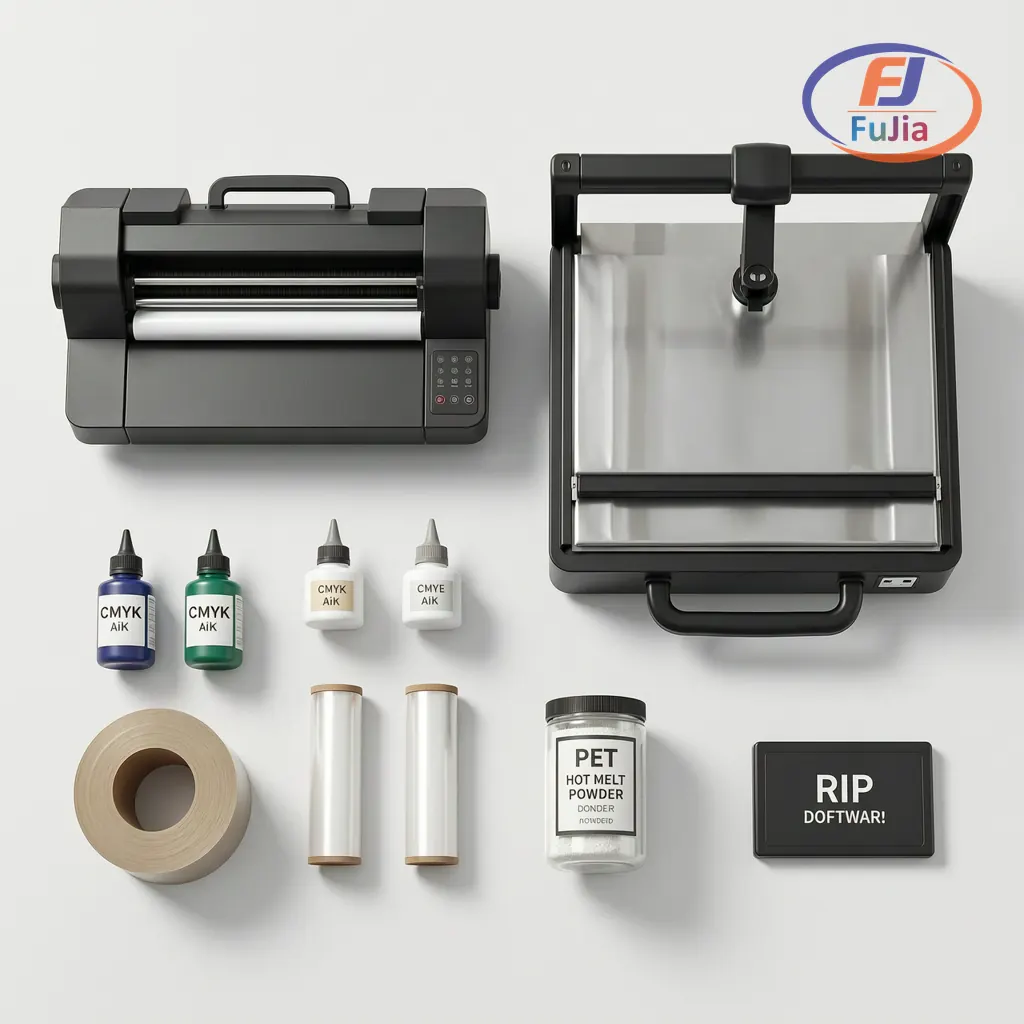
Most guides quote printer prices and call it a startup cost. Here’s what you actually spend to get printing:
Complete Startup Budget: Three Levels
| Cost Item | Starter | Standard | Full Production |
|---|---|---|---|
| ———— | ——— | ———- | —————– |
| DTF Printer | $2,000 | $4,500 | $8,000 – $12,000 |
| Heat Press (16×20″) | $400 | $600 | $1,200 |
| Powder Shaker + Curing Oven | $150 | $400 | $900 |
| RIP Software License | $200 | $300 | $500 |
| Initial Ink Set (CMYK + White, 1L each) | $250 | $450 | $800 |
| PET Film (starter roll) | $100 | $180 | $300 |
| Hot Melt Powder (1kg) | $50 | $70 | $100 |
| Workspace Setup (shelving, ventilation) | $100 | $250 | $600 |
| Business Registration + Website | $150 | $300 | $500 |
| Marketing (first 90 days) | $200 | $600 | $1,500 |
| Emergency Buffer | $300 | $500 | $1,000 |
| TOTAL | $3,700 | $8,150 | $15,400 — $19,400 |
The starter tier gets you printing. The standard tier gets you printing efficiently. The production tier gets you printing as a business, not a hobby. These numbers align with detailed startup cost breakdowns from print shop operators.
The Costs Most People Miss
White ink maintenance: If your printer doesn’t have automated circulation, budget $50-100/month in wasted white ink from daily shake-and-purge routines. Over a year, that’s $600-1,200 in ink you poured down the drain.
Printhead replacement: Plan on one replacement in your first year. Budget $150-600 depending on printhead type. L1800 heads are cheap but burn out faster. i3200 heads cost more but last longer.
Electricity: A DTF printer draws 200-450W. Add a heat press (1,500-1,800W) and curing oven (800-1,200W), and you’re drawing 2,500-3,500W when everything is running. That’s $80-120/month on a typical US commercial electricity rate. More importantly, make sure your circuit can handle it — a shared 15A kitchen circuit will trip when the heat press cycles on.
Cost Per Print: Your Margin Lives Here
Understanding your per-print cost is how you price competitively and still make money. Here are the numbers from real production data, consistent with per-print cost breakdowns from DTF operators:
Per-Shirt Consumable Cost (A3 Design, 60% Coverage)
| Consumable | Quantity | Unit Cost | Cost Per Print |
|---|---|---|---|
| ———— | ———- | ———– | —————- |
| CMYK Ink | 3-5g | ~$60/L | $0.20 – $0.35 |
| White Ink | 3-5g | $50-80/L | $0.15 – $0.40 |
| PET Transfer Film (single sheet) | 1 A3 sheet | $0.27-1.27/sheet | $0.50 – $1.00 |
| PET Transfer Film (nested/ganged) | ~0.5 A3 sheet equivalent | $0.27-1.27/sheet | $0.20 – $0.40 |
| Hot Melt Powder | 1-2g | $15-30/kg | $0.02 – $0.06 |
| Consumable Total (single sheet) | $0.87 – $1.81 | ||
| Consumable Total (nested) | $0.57 – $1.21 | ||
| Blank T-Shirt (Gildan 5000 or equivalent) | 1 pc | $3.00-5.00 | $3.00 – $5.00 |
| TOTAL COST (single sheet + shirt) | $3.87 – $6.81 | ||
| TOTAL COST (nested + shirt) | $3.57 – $6.21 |
Profit Calculation at $20/Shirt Selling Price
| Line Item | Single Sheet | Nested/Ganged |
|---|---|---|
| ———— | ————- | ————— |
| Selling Price | $20.00 | $20.00 |
| Total Cost | $5.34 (avg) | $4.89 (avg) |
| Gross Profit | $14.66 | $15.11 |
| Gross Margin | 73% | 76% |
The biggest cost lever is film nesting. Printing one design per A3 sheet wastes 40-60% of the film. Arranging multiple designs on each sheet drops your film cost from $0.50-1.00 per print to $0.20-0.40. That single habit adds 3-5 percentage points to your margin.
Payback: When Do You Break Even?
Based on selling 50 custom shirts per week at $20 each with an average $5.00 total cost:
| Setup Tier | Investment | Weekly Profit (50 shirts) | Payback Period |
|---|---|---|---|
| ————- | ———— | ————————– | —————- |
| Starter ($3,700) | $3,700 | ~$750 | 5 months |
| Standard ($8,150) | $8,150 | ~$750 | 11 months |
| Production ($17,000) | $17,000 | ~$750 | 23 months |
The payback math improves dramatically once you cross 100+ shirts per week. At 100 shirts, the starter tier pays back in under 3 months. This is why volume, not just margin, is what makes the business work.
What You Actually Need to Get Started
Beyond the printer, here’s the full checklist:
Essential equipment:
- DTF printer (A3 minimum, with white ink circulation)
- Heat press (clamshell or swing-away, 16×20″ minimum)
- Powder shaker and curing oven (or combo unit)
- RIP software (typically included with mid-range machines, separate purchase for budget models)
Consumables starter pack:
- CMYK DTF ink (1L per color)
- White DTF ink (1-2L, you’ll use more of this)
- PET transfer film (cold-peel, double-sided matte)
- Hot melt polyurethane powder (fine grade, 80-170μm)
- Cleaning solution and maintenance kit
Workspace requirements:
- Dedicated 20A circuit (not shared with other equipment)
- Ventilation (ink fumes during curing need extraction)
- Flat, stable work surface (the printer vibrates)
- Temperature-controlled room (15-30°C / 59-86°F; humidity under 60%)
One thing most people skip and regret: A humidity meter. DTF powder absorbs moisture from the air. If your workspace humidity goes above 60%, the powder clumps, doesn’t spread evenly, and your transfers peel after the first wash. A $15 hygrometer prevents this.
Need help figuring out exactly what you need for your setup? Tell us your target volume and we’ll send you a customized equipment list with factory-direct pricing.

When to Upgrade: Small Business to Production Scale
If your small business DTF operation is running well, you’ll hit this crossroads eventually: keep scaling with the A3 machine you have, or move up to a larger production system.
You’re ready to upgrade when:
- You’re consistently printing 100+ sheets per day and the machine runs 6+ hours daily
- Printhead replacements are happening every 4-6 months instead of 12-18
- You’re turning down or delaying orders because the printer can’t keep up
- You need print widths beyond 13 inches (full jacket backs, large-format placements)
The upgrade path:
From a budget A3 L1800/XP600 machine, the natural step is either a dedicated A3 i3200 system (like the DTF Station R2 Pro or Uninet 1200) or a 60cm industrial machine with dual or quad i3200 heads.
A 60cm dual-i3200 industrial DTF printer produces 15-22 square meters per hour. That’s roughly 5-7 times the throughput of a single-head A3 L1800 machine. Factory-direct pricing on these machines starts around $8,000-15,000 depending on configuration — comparable to branded 13-inch mid-range machines but with 2-3x the print width and throughput.
If buying a larger machine isn’t the right move yet, there’s another option: use a factory’s OEM printing service. You send designs, they print transfers at wholesale rates, you press them locally. This lets you scale order volume without scaling equipment cost. And when your monthly OEM printing bill exceeds $1,200-1,500, that’s your signal that buying your own machine pays for itself in under a year.
If you’re also considering UV printing as a complementary service, we covered the real costs of UV printing for a small shop in detail.
FAQ
Q: What is the best DTF printer for a small business just starting out?
For most startups doing under 20 orders per week, an A3 machine with an L1800 or XP600 printhead in the $2,000-3,000 range (complete system with shaker and oven) is the right entry point. The Procolored F13 Panda at roughly $2,600 all-in is the most complete budget package. If you plan to scale quickly, skip L1800 and start with XP600 or F1080.
Q: L1800 or XP600: which printhead is better for daily printing?
XP600 is faster (3-6 min vs 5-8 min per A3 sheet), handles continuous heat better, and typically lasts 2-4 months longer before needing replacement. L1800 is cheaper to replace ($150 vs $300-400). For anything beyond hobby volume, XP600 pays for itself in saved time and fewer replacement cycles.
Q: How much does it cost to start a DTF printing business?
A minimum viable setup costs $3,000-3,700 including printer, heat press, shaker, oven, and initial consumables. A standard setup for reliable daily production costs $8,000-10,000. Budget an additional $500-1,000 per month for consumables and operating expenses.
Q: What’s the difference between DTF and DTG printing for a small business?
DTF prints onto a transfer film that’s then heat-pressed onto the garment. DTG prints directly onto the fabric. DTF works on cotton, polyester, blends, nylon, and leather without pretreatment. DTG requires pretreatment on dark garments and doesn’t work well on synthetics. DTF equipment costs roughly half as much as comparable DTG. For a small business doing mixed garment types, DTF is more versatile.
Q: How long do DTF transfers last?
A properly cured DTF transfer applied with correct heat press settings (typically 160°C/320°F for 15-20 seconds, cold peel) survives 50-60+ industrial wash cycles without cracking or fading. The key variables are cure temperature accuracy and powder coverage. Under-curing is the #1 cause of premature peeling.
Q: Should I buy a machine from a factory in China or a local reseller?
Factory-direct pricing is typically 30-50% lower than reseller pricing for the same or similar hardware. The trade-off is support: a factory with structured international support (live training, engineer dispatch, English-speaking technical staff) closes the gap. A factory without those things leaves you troubleshooting alone. Check whether the factory offers remote video training, WhatsApp/WeChat support with sub-24-hour response, and spare parts shipping before you buy. Reach out to our support team to see how we handle it.
We are that factory. Get a quote for a complete DTF setup with training included, or send us your design for a free sample print — see the quality before you spend a dollar.
Last updated: June 2026. Pricing is based on publicly available data and factory-direct quotes. Individual supplier pricing may vary.
Related Reading
Factory-Direct Printing Equipment – Talk to the Source
Fujia Print manufactures DTF and UV printers in Guangzhou. Not a trading company, not a middleman. One supplier for your printer, consumables, and after-sales. Factory-direct pricing, in-house R&D, real support that answers the phone.
