

Getting the heat press settings wrong is the difference between a transfer that survives 60 washes and one that peels after three. The numbers aren’t complicated. You just need the right ones for the right fabric.
This guide gives you exact temperature, time, and pressure settings for 11 fabric types, explains when to hot peel vs cold peel, and covers the five most common mistakes that ruin DTF transfers. If you just want the chart and nothing else, scroll to the first table.
We run DTF production lines in our factory. We’ve pressed thousands of transfers onto every fabric you can think of. These numbers come from production, not from a spec sheet. If you haven’t chosen a machine yet, our DTF printer buyer’s guide walks through the options. And if you’re new to DTF entirely, start with the basics.
Want to test our DTF transfers before you buy a machine? Send us your design and get a free sample print pressed onto your choice of fabric.
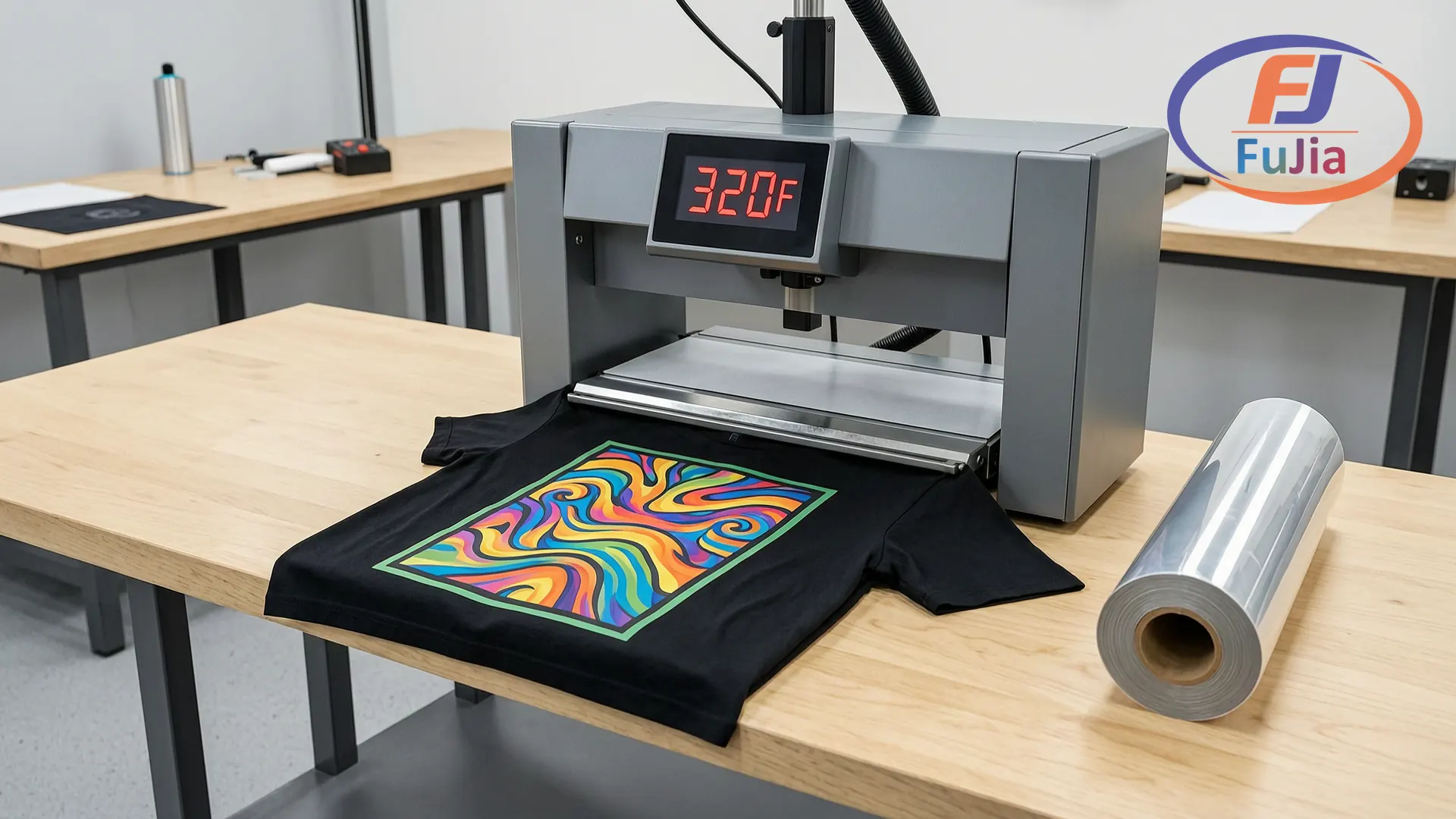
The Master Chart: DTF Settings for Every Fabric
Bookmark this. Print it. Tape it above your heat press. Every number below has been tested for adhesion, wash durability, and fabric safety.
| Fabric | Temperature | Time | Pressure | Peel | Repress |
|---|---|---|---|---|---|
| ——– | ————- | —— | ———- | —— | ——— |
| 100% Cotton | 305–320°F (152–160°C) | 12–15 sec | 40–60 psi (medium-firm) | Hot or Cold | 300°F / 10 sec / parchment |
| Cotton/Poly Blend (50/50) | 285–295°F (141–146°C) | 12–15 sec | 40–60 psi | Warm or Cold | 290°F / 10 sec / parchment |
| 100% Polyester | 270–285°F (132–141°C) | 15–20 sec | 30–40 psi (medium) | Cold only | 270°F / 8 sec / parchment |
| Tri-Blend | 290–310°F (143–154°C) | 12–15 sec | 40–60 psi | Warm or Cold | 300°F / 10 sec / parchment |
| Performance/Wicking | 250–275°F (121–135°C) | 15–20 sec | 20–40 psi (light-medium) | Cold only | 260°F / 8 sec / parchment |
| Cotton/Spandex | 290–305°F (143–152°C) | 12–15 sec | 30–50 psi (medium) | Warm or Cold | 290°F / 10 sec / parchment |
| Nylon | 270–285°F (132–141°C) | 10–15 sec | 20–40 psi (light-medium) | Cold only | 270°F / 8 sec / PTFE sheet |
| Denim | 305–320°F (152–160°C) | 15–20 sec | 50–70 psi (firm) | Cold | 310°F / 10 sec / parchment |
| Canvas/Tote Bags | 305–320°F (152–160°C) | 15–20 sec | 60–80 psi (high) | Cold | 310°F / 12 sec / parchment |
| Leather | 250–280°F (121–138°C) | 10–15 sec | 30–50 psi (medium) | Cold only | 250°F / 5 sec / protective sheet |
| Hats/Caps | 270–295°F (132–146°C) | 10–15 sec | Medium (cap press) | Cold | 280°F / 8 sec / parchment |
A few things to note before you start pressing:
- These temperatures assume a calibrated heat press. If your press runs 10°F hotter than the display says, subtract 10 from every number above. Test with an infrared thermometer or temperature strips before trusting the digital readout. These settings align with [industry-standard DTF temperature charts](https://dtfdatabase.com/tools/dtf-temperature-time-chart/) verified across production environments.
- Pressure is harder to measure precisely than temperature or time. If your press doesn’t display psi, use the “paper pull test”: place a sheet of paper under the press, close it, and pull. You should feel firm, even resistance at all four corners — not so tight you can’t move the paper, not so loose it slides out freely.
- Always pre-press the garment for 3-5 seconds before applying the transfer. This removes moisture and wrinkles. Skipping this step is the single most common cause of peeling.

Peel Methods: Hot, Warm, or Cold?
The peel method is as important as the temperature. Peel at the wrong time and you’ll lift the ink off the fabric.
| Method | Timing | Works Best For | How To |
|---|---|---|---|
| ——– | ——– | ————— | ——– |
| Hot Peel | Within 5 seconds of opening the press | Modern DTF films on cotton, solid designs | Peel immediately in one smooth motion. Fastest method. |
| Warm Peel | 10–30 seconds after opening | Cotton blends, detailed designs with fine edges | Let the transfer cool slightly but not completely. Reduces edge lifting on thin lines. |
| Cold Peel | 60–90 seconds, until the film reaches room temperature | Polyester, nylon, leather, performance fabrics, large prints | Wait until the carrier sheet feels cool to the back of your hand. Peeling cold guarantees full adhesive transfer to the fabric. |
The universal rule: if the fabric contains any synthetic fiber (polyester, nylon, elastane), cold peel. Synthetics release heat more slowly than cotton, and the adhesive bond takes longer to set. Peeling hot on polyester can pull the ink layer partially off the shirt, which shows up as a faded or patchy print after the first wash.
On cotton, modern DTF films handle hot peel fine. But if you’re doing a large print (bigger than a standard chest logo) or a distressed/vintage design with intentionally broken edges, switch to cold peel regardless of fabric. The extra 60 seconds prevents edge lifting that hot peel can cause on larger surface areas.
Pre-Press: 5 Seconds That Save Your Transfer
Moisture is the enemy of DTF adhesion. A cotton shirt sitting in a humid room contains 6-8% moisture by weight. When you press a transfer onto damp fabric, that moisture turns to steam, creates micro-bubbles under the adhesive layer, and your transfer peels after a few washes.
Pre-press solves this in five seconds: close the heat press on the empty garment for 3-5 seconds at the same temperature you’ll use for the transfer. The shirt comes out slightly warm and completely dry. Press the transfer immediately.
When pre-press is non-negotiable:
- Any polyester or synthetic garment (they hold moisture)
- Freshly washed shirts that haven’t fully air-dried
- Humid workspace conditions (above 55% humidity)
- Denim and canvas (dense fibers trap moisture deep)
Repress: The Step Most People Skip
After you peel the carrier film, the transfer is adhered but the bond isn’t fully cured. A final 8-12 second repress with parchment paper laid over the print does three things: it locks the adhesive into the fabric fibers for maximum wash durability, it evens out any surface gloss differences between the printed and unprinted areas, and it seals down any micro-edges that might have lifted during peeling.
| Repress | Temp | Time | Cover |
|---|---|---|---|
| ———- | —— | —— | ——- |
| Cotton / Blends | 290–310°F | 10 sec | Parchment paper |
| Polyester / Synthetics | 260–280°F | 8 sec | Parchment paper |
| Nylon / Leather | 250–270°F | 5–8 sec | PTFE/Teflon sheet (not parchment) |
The parchment paper rule: always place a fresh sheet between the heat press platen and your print. Never press directly onto the transfer. Residual adhesive from previous presses builds up on the upper platen and will stick to your next shirt.
The 5 Most Common Heat Press Mistakes
1. Using Cotton Temperature on Polyester
This is the most expensive mistake. Polyester scorches at 290°F+. But the real problem isn’t visible scorching — it’s dye migration. The shirt’s original dye turns to gas under excessive heat and bleeds into the white underbase layer of the DTF print. Your print looks fine when it comes off the press. It turns pink or gray within 24-48 hours as the dye continues to migrate. By then the customer has it.
Fix: Polyester always at 270–285°F. If your press doesn’t go that low accurately, use a lower-temperature DTF powder designed for synthetics.
2. Uneven Pressure
Most clamshell heat presses apply more pressure at the hinge than at the front edge. If your prints peel at one corner but stick everywhere else, pressure is the culprit.
Fix: Layer a thin silicone pad or folded Teflon sheet under the lower platen to even out the surface. Test with the paper pull method at all four corners.
3. Skipping the Pre-Press
You already know this one. Damp fabric equals peeling prints. Press empty for 3-5 seconds before applying the transfer.
4. Peeling Hot on Cold-Peel Film
Not all DTF film is hot-peel. Check your film specifications. If you purchased cold-peel film and you’re peeling hot, every transfer is a partial failure — the adhesive layer splits between the film and the fabric instead of transferring completely.
Fix: Know your film type before you start. If you’re unsure, default to cold peel. It’s always safe. Hot peel on cold-peel film is not.
5. No Repress
Transfers that skip the final repress lose 40-60% of their wash durability. The initial press creates a mechanical bond. The repress creates a chemical cure. You need both.
Fix: Always add 8-12 seconds of repress with parchment paper after peeling.
How to Verify Your Heat Press Is Accurate
Presses drift over time. The thermostat that worked perfectly at 320°F a year ago might now be 335°F when the display says 320. That 15°F difference is enough to scorch polyester and under-cure cotton transfers.
Test your press monthly with one of these methods:
- Infrared thermometer ($20-40): Point at the lower platen surface, compare to display reading. Test at 280°F and 320°F.
- Temperature test strips ($10/pack): Place on the platen, close the press, read the color change. More accurate than IR for platen surfaces.
- Paper test (free): Place a sheet of plain copy paper in the press at 320°F for 10 seconds. The paper should turn slightly yellow but not brown. Brown paper means your press runs hot.
If the actual temperature is off by more than 10°F, adjust your settings rather than the press itself. Subtract or add the offset manually. Regular calibration checks prevent the gradual temperature drift that ruins batches of transfers.
FAQ
Q: What is the standard DTF heat press temperature for cotton?
305–320°F (152–160°C) for 12-15 seconds at medium-firm pressure. Cotton is the most forgiving fabric for DTF. Modern DTF films support hot peel on cotton, but cold peel (waiting 60-90 seconds) gives slightly better adhesion on thick or distressed designs.
Q: Can I use the same settings for polyester as cotton?
No. Polyester needs 270–285°F — roughly 30-40°F lower than cotton. Pressing polyester at cotton temperatures causes dye migration, where the shirt’s original color bleeds into the white ink layer. The print looks fine initially but turns discolored within 24-48 hours. Always cold peel on polyester.
Q: Hot peel or cold peel: which is better?
Hot peel is faster — you peel within 5 seconds and move to the next shirt. Cold peel is more reliable — the adhesive bond is fully set before you remove the carrier film. For production speed on cotton, use hot peel with modern DTF films. For synthetic fabrics, large prints, or when you can’t afford a single failed transfer, use cold peel.
Q: Why do my DTF transfers peel after washing?
Three likely causes in order of frequency: (1) you skipped the pre-press and pressed onto damp fabric, (2) you skipped the final repress after peeling, or (3) your temperature was too low and the powder didn’t fully melt into the fabric fibers. Fix all three and transfers should survive 50+ washes.
Q: How do I know if my heat press pressure is correct?
The paper pull test: place a sheet of copy paper between the closed platens. Pull from each corner. You should feel firm, even resistance at all four points. If one corner pulls easily, pressure is uneven. If the paper won’t budge anywhere, pressure is too high and could damage the fabric. If the paper slides freely, pressure is too low for DTF adhesion.
Q: Do I need different DTF powder for different fabrics?
Standard hot melt polyurethane powder (80-170μm, fine grade) works for cotton, blends, and most fabrics. For polyester and performance fabrics that must be pressed at lower temperatures, use a low-melt powder designed to cure at 250-275°F instead of the standard 300-320°F cure range. Check your powder’s technical data sheet for the melt point.
Our factory formulates DTF consumables for every application. Get a sample pack of our standard and low-melt powders, plus a roll of PET film, to test on your own heat press. Request a sample — free for qualified businesses.
Last updated: June 2026. Settings verified against production data from dtfdatabase.com industry testing and our in-factory quality control records.
Related Reading
Factory-Direct Printing Equipment – Talk to the Source
Fujia Print manufactures DTF and UV printers in Guangzhou. Not a trading company, not a middleman. One supplier for your printer, consumables, and after-sales. Factory-direct pricing, in-house R&D, real support that answers the phone.
