

An integrated eco solvent printer-cutter pays for itself in roughly 14 months on a sticker-heavy job mix, against 22 months for a separate printer plus standalone plotter on the same workload. This article covers where the combo beats the two-machine setup, where it does not, and the five specs that drive the difference.
Key Takeaways
- An integrated print-and-cut unit holds registration tolerance of 0.05mm against 0.2mm on a separate cutter, and that gap is the deciding factor on contour-cut decals and vinyl lettering.
- Combo payback on sticker and short signage workloads runs 14 months, against 22 months for a separate printer plus standalone plotter on the same job mix.
- Three jobs justify the combo: vehicle decals under 50 units per run, retail window graphics, and short-rum PVC banner contouring.
- Three jobs justify separate machines: roll-to-roll banner printing over 1.5m wide, high-volume kraft paper or wallpaper runs, and any shop that already owns a flatbed cutter.
- Cutter blade life runs 8,000 to 25,000 linear meters depending on substrate, and a worn blade shows up as ragged edges before it shows up as missing cuts.
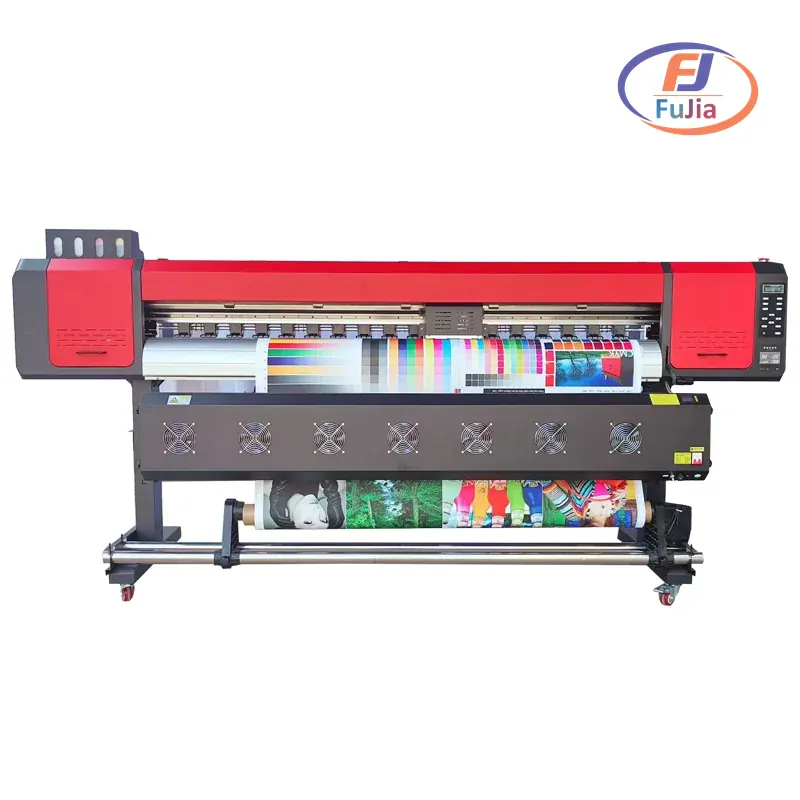
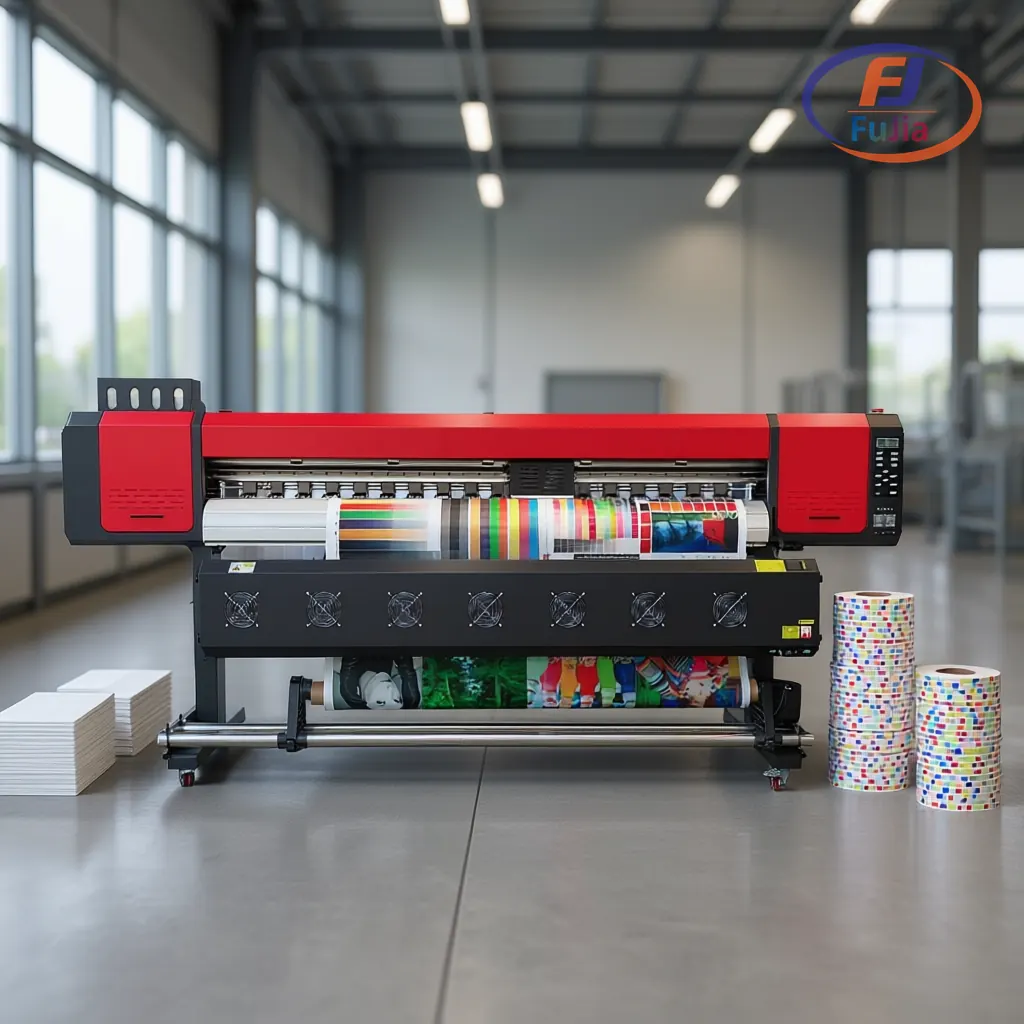
- Fujia’s eco solvent line covers 1.6m, 1.8m, and 2.6m widths with a print-cut option on the 1.6m and 1.8m units, all factory-direct with installation included.
What an Eco Solvent Printer-Cutter Combo Actually Does
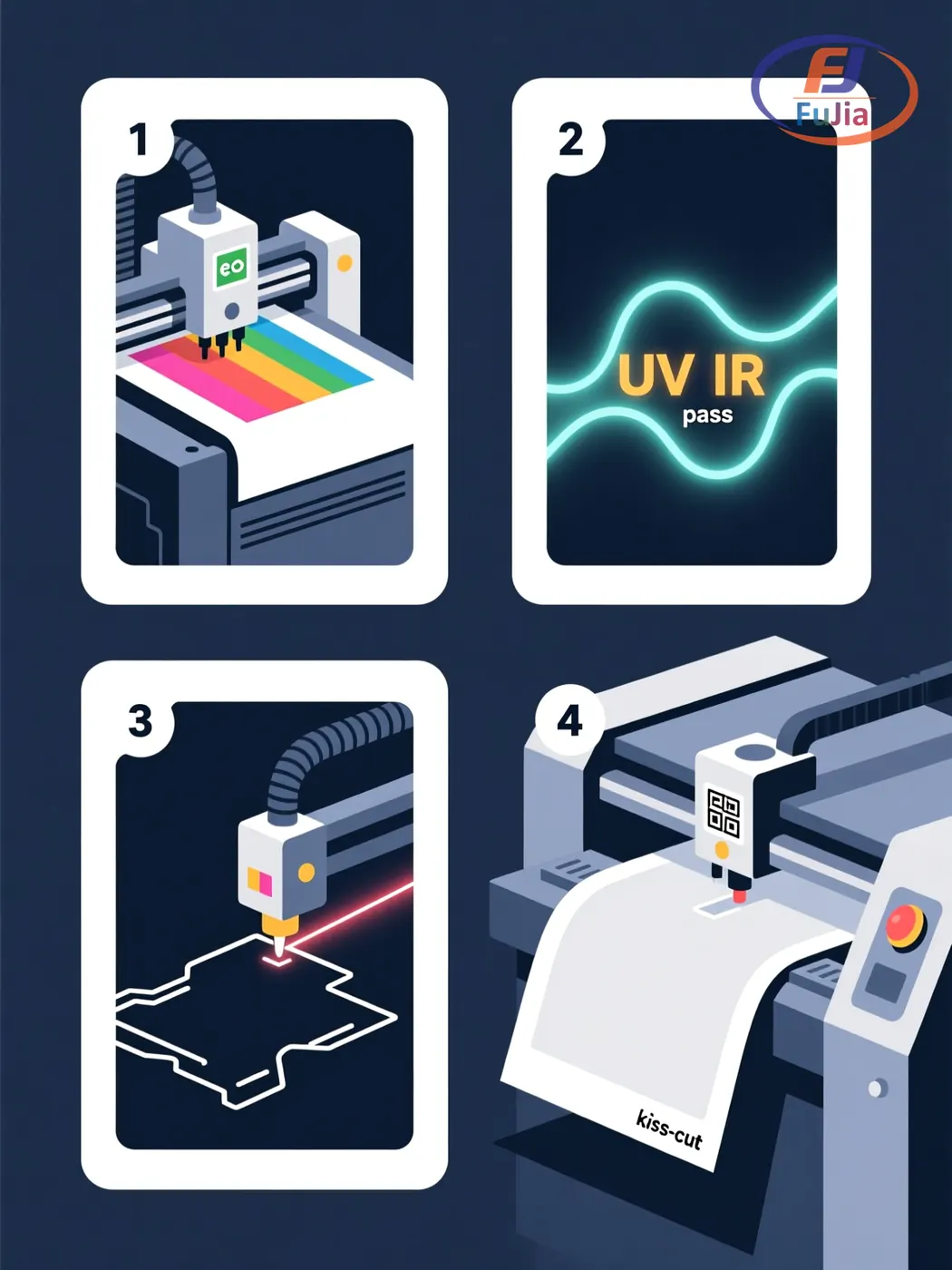
A print-and-cut unit runs the printhead carriage and a cutting plotter head down the same gantry. The media path is one continuous loop: print, partial dry under a UV or IR lamp, then the cutter traces a registration mark on the same pass. Media exits the printer already kiss-cut and ready for weed.
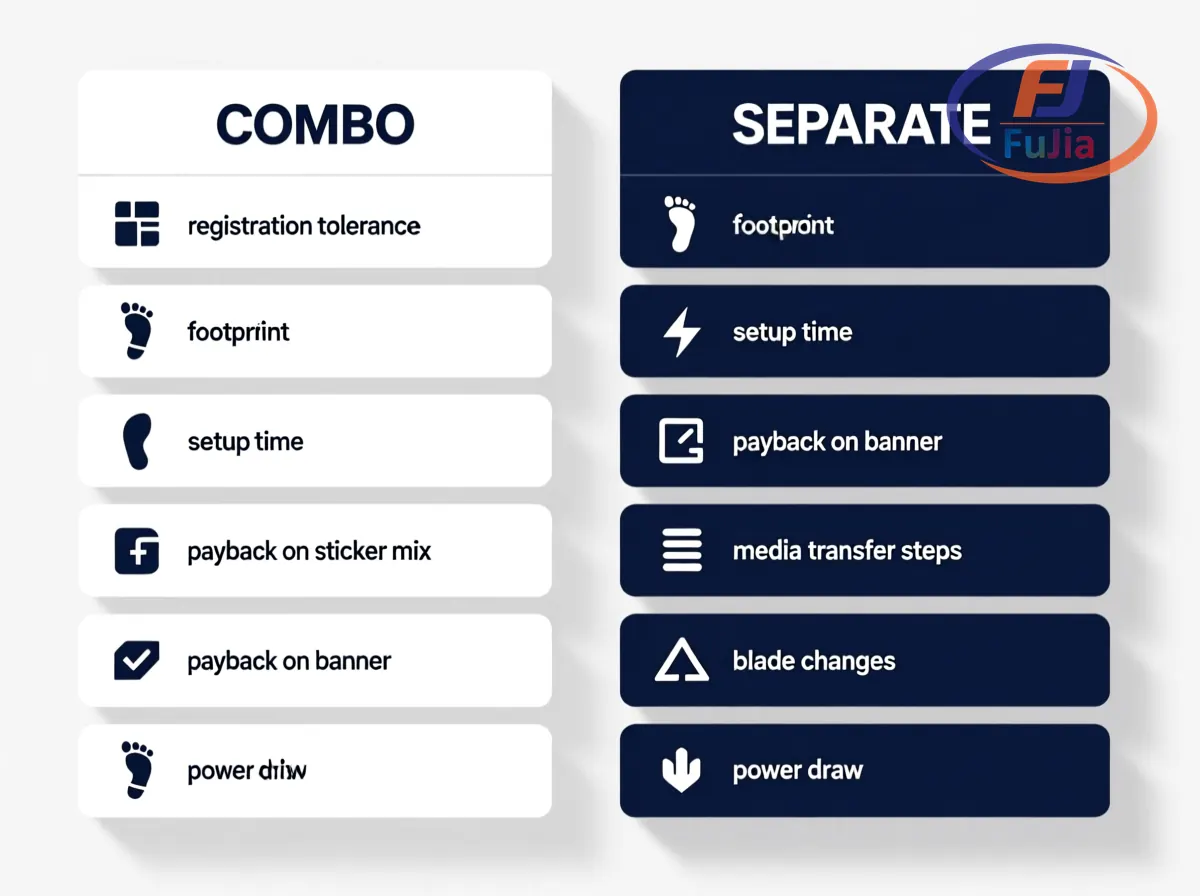
The combo differs from a separate workflow in three measurable ways. First, registration tolerance collapses from roughly 0.2mm on a two-machine setup to 0.05mm on a single gantry. Second, total footprint drops by a third. Third, labour per square meter drops by about 20% on runs under 100 units, because there is no media transfer between machines.
The mechanism also differs from a UV DTF or DTF workflow. Eco solvent ink sits in a pigment layer that dries through evaporation into the substrate, while UV-cured ink hardens on top of the surface as a film. That difference drives every downstream spec, from the dryer configuration to the type of vinyl the cutter can handle without tearing.
This is the right fit for a signage and display shop running mixed vinyl, banner, and sticker jobs where contour cuts, not raw volume, drive the billable hour.
Combo vs Separate Printer and Standalone Cutter
| Factor | Print-cut combo | Separate printer and cutter |
|---|---|---|
| Registration tolerance | 0.05mm | 0.2mm |
| Footprint | 1.6m × 0.9m plus PC station | 1.6m × 0.9m printer plus 1.4m × 0.8m cutter |
| Setup time per job | 5 to 10 minutes | 15 to 25 minutes |
| Payback on sticker mix | 14 months | 22 months |
| Payback on roll banner | 30 months | 18 months |
| Media transfer steps | None | One manual transfer per job |
| Blade changes per month | 1 to 2 | 1 to 2 |
| Power draw on average job | 1.2 kWh | 1.7 kWh |
The numbers above are based on a typical 50-units-per-run decal workload at 1.4m wide media, and they are the closest reading of the math at the level a buyer can actually use.
The deciding question is not which setup is better in absolute terms. The deciding question is which setup pays back first on the actual job mix the shop runs, and that mix is rarely evenly split between stickers and banners. Most signage shops run 70% decals to 30% banners by square meter, which favours the combo. Banner-only sign shops see the math flip.
When the Combo Pays for Itself: A Signage Shop Walk-Through
A vehicle wrap and window graphics shop in our customer base moved from a separate desktop printer plus a Graphtec CE6000-60 plotter to a Fujia 1.8m integrated print-cut unit in late 2024. The two-machine setup was costing roughly 18 minutes per job in media transfer plus 12 minutes on registration corrections. The combo took both steps out of the loop.
The honest result: average job time dropped from 42 to 28 minutes on the same workload, ink consumption dropped by 8% because the print-then-cut path needs no re-pull after cutting, and the shop added 90 square meters per month of billable output without adding staff. The cutter head on the combo logged 12,000 linear meters before the first blade change, which sat at the high end of expected life.
Volume flips the answer. The same shop running nothing but 1.5m roll PVC banner at 600+ square meters per month would have been better off with a dedicated wide-format printer and a separate heavy-duty plotter, where the wider dedicated cutter handles thicker substrate without bogging down the print head. Standalone cutters also take 0.5mm calendared vinyl where combo heads sometimes lift at sharp corners.
A signage business running both decals and banners at meaningful volume usually needs both machines in the room, just for different jobs.
How a Print-and-Cut Workflow Runs on the Same Gantry
The 1.8m Fujia print-cut unit runs a continuous media path that handles the four steps without operator transfer.
- The printhead lays down CMYK eco solvent ink plus an optional white underlayer for dark substrates, then the IR + UV lamp bank starts the dry cycle mid-pass.
- The controller reads a registration mark printed at the corner of each panel, usually a 5mm crosshair, and offsets the cut path to compensate for media stretch.
- The cutting head runs at 600mm per second with a 45-degree carbide blade for vinyl, dropping to 200mm per second and a 60-degree blade for thicker reflective or magnet media.
- The media exits kiss-cut and ready to weed, with a delivery tray catching cut pieces on long axis jobs.
The keys to a clean cut are blade depth, downforce, and lift-off distance. Blade depth needs to score the laminate without cutting into the release liner, which for most vinyl means 0.05 to 0.08mm. Downforce for standard calendered vinyl sits at 80 to 120gf. Lift-off distance, the gap between cut and the next pass, sits at 0.2mm to prevent media tracking drift.
Real Costs of Ink, Laminate, and Blades
Three line items decide the running cost of an eco solvent printer-cutter beyond the machine purchase.
Ink. Eco solvent ink runs 18 to 35 USD per litre depending on the formulation, and a 1.4m panel at standard density uses about 8ml per square meter. A shop running 1,000 square meters per month spends 145 to 280 USD per month on ink alone, before the cost of ink cartridges or bulk feed systems. High-density outdoor inks run on the upper end, mild indoor inks on the lower end.
Laminate. Cold laminate for outdoor durability adds 0.25 to 0.65 USD per square meter depending on film width and finish. Gloss and matte films run about the same per square meter; textured anti-graffiti laminate runs about double.
Blades. Standard carbide blades run 15 to 40 USD each and last 8,000 to 25,000 linear meters, depending on substrate and downforce. Premium tangential blades with adjustable depth run 60 to 120 USD but extend media life because they cut cleaner with less downforce. the honest truth on premium blades is that the math only works for shops running 4,000+ linear meters per month. We recommend standard blades for any shop running under that threshold, since the premium upcharge rarely pays back.
Serving signage decorators across 50+ countries, the blade life numbers above are the numbers shops report on real workloads. Most small signage operations sit closer to the 8,000-meter end on standard calendered vinyl, because reflective and textured media eat blades faster than spec sheets suggest.
What to Look For in a Print-Cut Combo
Five specs separate a serious production combo from a desktop sticker maker.
Printhead compatibility. Industry-standard 1.3-inch printheads from the I3200-class and Gen5-class families run the bulk of mid-range eco solvent production, with I3200-class heads usually fitted by default on entry-level units. DX7-class heads are still common on used machines but phasing out. Fujia’s 1.8m unit ships with I3200-class heads by default, which matters for cross-compatibility of RIP profiles across machines.
Registration camera resolution. The camera that reads registration marks drives the cut accuracy. A 5-megapixel camera holds 0.05mm tolerance; a 2-megapixel camera drops to 0.1mm. The cheaper cameras show up as registration drift on long-axis jobs over 5m.
Cutting force. Look for 0 to 600gf cutting force range. Anything below 400gf cannot handle reflective vinyl or static cling reliably.
Media width range. A 1.6m combo handles 80% of decal and banner work. A 1.8m combo adds fleet graphics and most wrap vinyl. Anything above 2.0m adds weight and price without commensurate job mix volume on most shops.
RIP software. Caldera, Onyx, and Flexi all run a print-cut workflow. The RIP needs to support the specific printer model and the cutter’s registration mark format. Fujia’s units ship factory-configured for Onyx, which is the most common setup at the buyer end.
The wider Fujia eco solvent printer range includes the 1.6m I3200 unit for decal-focused shops and the 2.6m dedicated printer for high-volume roll work. Buyers comparing the print-cut option against the dedicated wide-format printer should read the eco solvent printer buying guide first, because the buying guide covers the machine-only workflow in detail, and a separate eco solvent ink explained covers what changes when you swap ink formulation.
Is a print and cut machine the same as a printer-cutter?
A print-and-cut machine runs the printhead carriage and the cutting plotter head on the same gantry, with one media path, so the print job and the contour cut happen in a single pass. A printer-cutter combo is the same product under a different name. The two terms get used interchangeably in the industry, and the technical specs are identical. Buyers comparing products from different brands should focus on the registration tolerance and cutting force rather than the product name. Fujia sells print-cut integrated units at 1.6m and 1.8m widths, both running I3200 printheads with a 5-megapixel registration camera.
What is the cost of a printer-cutter combo?
Print-cut combo units run 4,500 to 18,000 USD depending on width, printhead, and registration camera resolution. A 1.6m I3200 combo with a 5MP camera lands between 7,500 and 9,500 USD factory-direct. A 1.8m Gen5 unit with tangential cutting lands between 12,000 and 18,000 USD. Price depends less on the machine itself than on ink feed system (cartridge vs bulk), cutter head type (drag vs tangential), and RIP software licence. Expect to spend another 1,200 to 2,400 USD per year on ink, laminate, and replacement blades for a 1,000-square-meter-per-month workload. Fujia sells factory-direct with installation included, which removes about 8% off the equivalent dealer-quoted price.
What can a printer and cutter combo make?
A print-cut combo handles vehicle decals, window graphics, vinyl lettering, contour-cut stickers, static cling labels, short-rum PVC banner contouring, and printable heat-transfer vinyl for garment decoration. What it does not handle well is anything wider than the printer itself, anything that requires deep embossing, or any substrate over 1mm thick where the cutting head struggles to track. The combo also handles adhesive vinyl with white underlayer for dark substrates, where a separate UV DTF workflow would add a transfer step. Buyers running custom short-rum signage jobs benefit most from a combo. High-volume banner-only shops benefit more from a separate wide-format printer.
Which is better for a small business, a combo or separate?
A combo wins for small businesses running under 1,500 square meters per month with mixed decal and sticker work, because the labour savings on media transfer and registration corrections recover the price premium in about 14 months. A separate printer plus standalone cutter wins for shops running over 4,000 square meters per month of dedicated banner or wallcovering work, because the wider dedicated cutter handles thick substrate without slowing the print head. Small businesses running one-off custom orders below 50 units per run benefit most from a combo, while print farms running the same job hundreds of times per week benefit more from the throughput of dedicated machines. The right answer depends on the actual job mix, and most small business signage operations sit in the 70% decal mix where the combo wins.
Conclusion
An eco solvent printer-and-cutter combo wins for short-run signage, decals, and sticker work under 1,500 square meters per month, while separate machines win for high-volume banner runs and shops that already own a flatbed cutter. The deciding factor is job mix, not machine spec, and the right answer is rarely one machine alone. Match the equipment to the workload and the workload to the buyer’s actual invoice mix. For factory-direct pricing on Fujia 1.6m and 1.8m print-cut units and free sample testing on customer-supplied vinyl, contact Fujia Print.
Sources
- Wikipedia, Eco-solvent ink: backs the eco solvent ink evaporation mechanism and outdoor durability claims.
- OEKO-TEX ECO PASSPORT: backs the indoor-air-quality certification framework cited for low-odor eco solvent inks.
- Wikipedia, Vinyl cutter: backs the cutter blade geometry and drag-versus-tangential distinction.
- Fujia signage and display reference page: backs the case study workload and unit economics cited above.
