

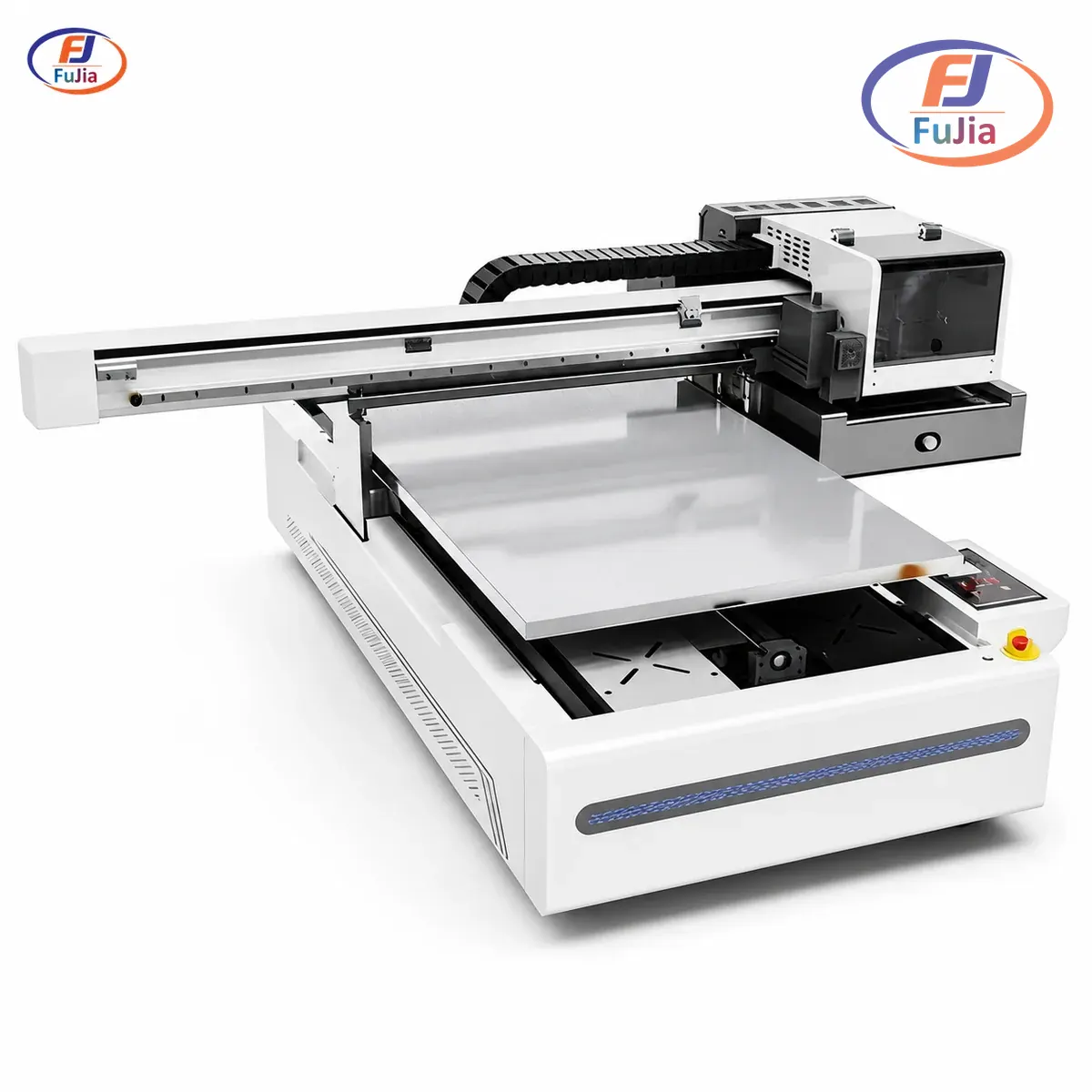
A direct-to-substrate printer is a UV flatbed that cures ink straight onto rigid materials like glass, metal, acrylic, wood, and ceramic without any transfer film, beating roll-fed DTF on any substrate thicker than 1mm. This article covers what DTS actually means, where it beats DTF and UV DTF, where it loses, and what specs to check before buying a UV flatbed for a small business.
Key Takeaways
- A direct-to-substrate printer runs UV-cured ink straight onto rigid stock up to 50mm thick, skipping transfer films entirely on glass, metal, acrylic, wood, and ceramic.
- The 5mm to 50mm thickness range is where DTS wins; under 1mm thick, roll-fed DTF or UV DTF produces faster output per square meter.
- A1 (6090mm) flatbed prints one 600 by 900 mm panel in 90 seconds at standard density and 180 seconds at full-density white plus varnish layered output.
- Ink sits in a 12 to 25 USD per square meter band depending on substrate absorption and white ink coverage, which makes DTS competitive with custom DTF for short-rum signage.
- The Fujia UV flatbed lineup covers A2 (4050mm), A1 (6090mm), and 2513 industrial-wide rigid stock, all factory-direct with installation included.
- Three specs decide whether a flatbed earns its footprint: printhead count, vacuum zone count, and whether the gantry supports cylindrical jigs.
What a Direct-to-Substrate Printer Actually Does
A DTS printer is a UV flatbed rig with a flat vacuum table holding the rigid substrate and a gantry-mounted printhead carriage that lays UV-curable ink on top. The UV-LED lamp cures each pass of ink in milliseconds, and the carriage continues over the same area stacking colour, white underlayer, and clear varnish in a single uninterrupted run.
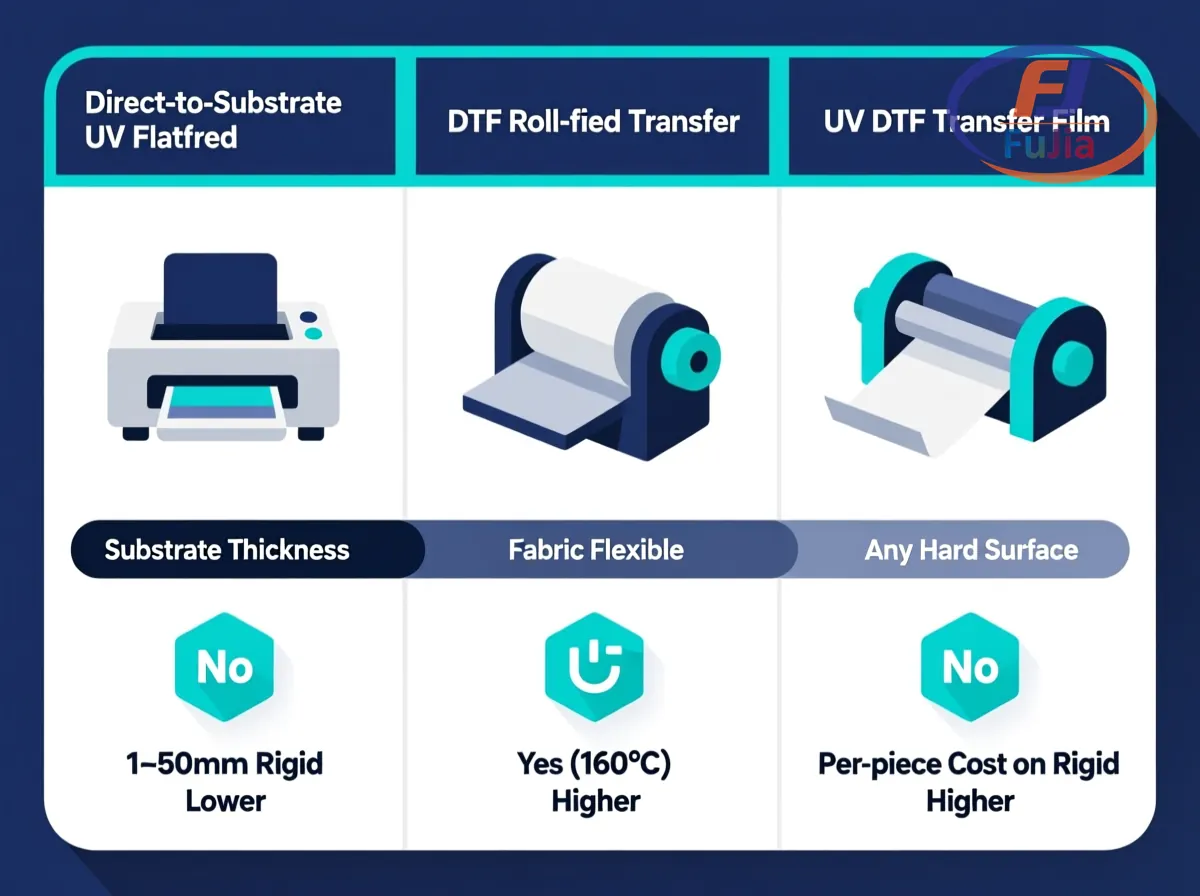
The mechanism differs from DTF in one important way. DTF first prints the image onto a PET transfer film, sprinkles hot-melt powder to form an adhesive layer, then heat-presses the film onto the substrate at 160°C. The substrate has to accept heat, powder, and a film-release step. UV DTF runs UV ink onto a PET transfer film with a laminated adhesive backing, then applies by hand to any hard surface. The transfer film is still the carrier. DTS skips both film layers and inks directly onto the substrate as a bonded film that is mechanically scratched, not chemically diffused.
What that means in plain terms: on glass, metal, acrylic, or ceramic, DTS avoids the heat-press and film-peel steps. The substrate goes in, the printed part comes out, no transfer media waste. For a small business running a few hundred signs per month, that means lower material cost and fewer labour steps.
The substrate range matters more than the printhead. Most small operators should start at A2 or A1 size and only step up to industrial 2513 units once monthly rigid throughput passes 4,000 panels.
When Direct-to-Substrate Beats DTF and UV DTF
The three print technologies overlap in ways that confuse new buyers. The deciding factor is substrate thickness and run length.
| Factor | Direct to substrate (UV flatbed) | DTF (roll-fed transfer) | UV DTF (transfer film) |
|---|---|---|---|
| Substrate thickness | 1mm to 50mm rigid | Fabric, any thickness flexible | Any clean hard surface |
| Pre-treatment | None | None | None |
| Heat press required | No | Yes, 160°C | No |
| Printhead cost | Higher | Lower | Mid-range |
| Per-piece cost on rigid | Lower | Higher (film + powder) | Higher (film + adhesive) |
| Per-piece cost on fabric | Not applicable | Lowest | Mid-range |
| Output per hour (signage) | 35 to 50 panels | Not applicable | 60 to 80 transfers |
| Outdoor durability | 5+ years | 2 to 4 years | 3 to 5 years |
The numbers above are based on a typical 200x300mm panel workload on a 6090-class flatbed.
The deciding question is what the substrate is and what order is on the bench. Rigid stock over 1mm thick goes to UV flatbed. Garment orders go to DTF. Small-batch custom drinkware or curved signage goes to UV DTF. The same shop often runs two of the three, because customer jobs shift by month and the equipment that wins January loses March.
Buyers comparing the three should read the DTF vs UV vs DTG vs Eco-Solvent comparison for the cross-technology context, because the four technologies compete for share on overlapping, not identical, jobs.
How a UV Flatbed Prints Onto Glass, Metal, and Acrylic
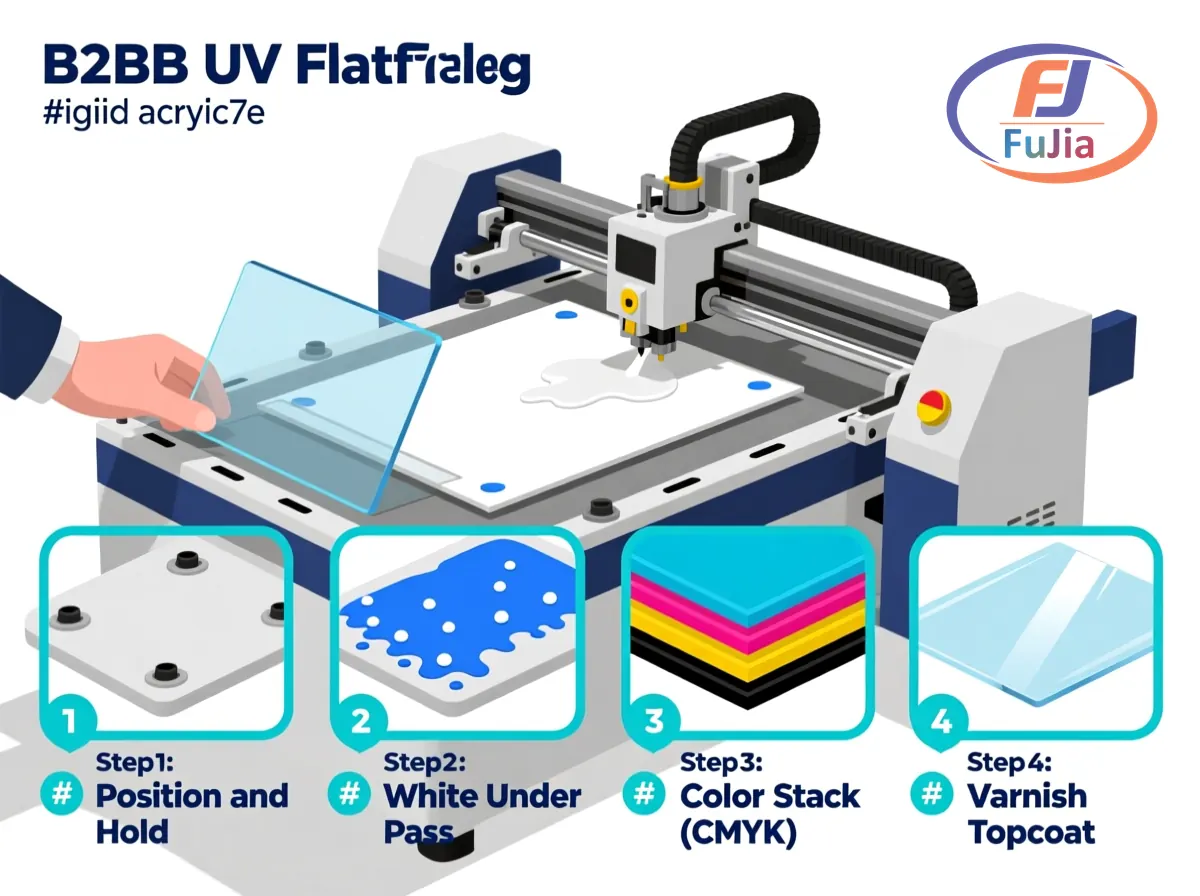
The 6090 Fujia unit runs a three-pass cycle on a typical acrylic sign blank, and each pass handles one logical layer of the print.
- Position and hold. The operator places the acrylic blank on the vacuum table, registers it against the corner stop, and the vacuum pump activates to clamp the substrate flat. The table has four independently zoned vacuum areas so a small blank does not waste pump capacity.
- White underlayer pass. The carriage lays white ink first as a base, because the colour stack cannot sit directly on dark acrylic without a white underlayer. The UV lamp cures the white layer mid-pass.
- Colour stack. CMYK plus optional light cyan and light magenta print over the white. Total ink deposit sits around 12ml per square meter for standard density and 20ml per square meter for full-density photo output.
- Varnish topcoat. A clear UV varnish pass seals the colour layer against scratch and UV fade. The varnish step carries scratch hardness from H to 3H+ on the pencil hardness scale.
The keys to a clean flatbed print are substrate flatness, white ink density, and UV-LED dose. A warped substrate causes missing dots at the lifted corners because the printhead sits at a fixed focal distance.
Real Costs of UV Flatbed Printing on Rigid Stock
Three line items decide the per-piece cost beyond the machine purchase.
Ink. UV-curable ink for flatbed runs 80 to 180 USD per litre depending on colour and white-ink content, and a full-coverage 600 by 900mm panel uses 8 to 16ml of ink. A shop running 800 panels per month on a 6090-class flatbed spends 480 to 1,800 USD per month on ink alone. White ink is the largest variable, because a panel with full white underlayer eats 2x the ink of a colour-only print.
Substrate. 3mm cast acrylic runs 18 to 32 USD per square meter at wholesale, and aluminium composite panel (ACP) runs 12 to 22 USD per square meter. Glass blanks for the same size run 25 to 50 USD per square meter depending on thickness and tempering.
Maintenance. UV-LED lamps last 8,000 to 12,000 operating hours before needing replacement at 600 to 1,200 USD per lamp. Printheads last 12 to 24 months on standard shop workloads, with replacement cost of 1,800 to 3,500 USD per head depending on model. A small business running 800 panels per month should budget about 7% of revenue for printhead and lamp replacement over a 36-month cycle.
The cost-per-piece on a 200x300mm acrylic sign at standard density runs 1.40 to 2.60 USD all in, before substrate. That puts UV flatbed competitive with custom sublimation on coated blanks and below screen-printing on short runs.
What to Look For in a UV Flatbed for a Small Business
Five specs separate a serious production flatbed from a desktop starter unit.
Printhead compatibility. Production-class 6090 flatbeds ship with two to four printheads in standard configurations. Industry-standard 1.3-inch printheads from the I3200-class and Gen5-class families run the bulk of mid-volume UV flatbed production. Entry units sometimes fit smaller heads at lower cost but reduce output per pass.
Vacuum zone count. A flatbed with four independently zoned vacuum areas can hold a small blank without wasting pump capacity. A single-zone flatbed pulls full vacuum regardless of blank size, which extends pump life but eats power on small jobs. Fujia’s 6090 ships with four-zone vacuum as standard.
Z-axis clearance. The gap between the printhead and the substrate at full extension decides the maximum substrate thickness. Production flatbeds handle 50mm to 100mm clearance, which covers acrylic, wood panels, and most promotional blanks. Industrial 2513 units extend to 150mm and handle shaped substrates at extra cost.
White ink circulation. White ink settles inside the printhead if it sits idle. Head circulation plumbing keeps the white ink agitated and prints reliably at the next pass. Without circulation, white-ink reliability drops after a 30-minute idle. Fujia’s flatbed line includes white circulation on all A1 and A2 production units.
Rotary jig. A rotary attachment turns the flatbed into a cylindrical printer for bottles, tumblers, pens, and similar blanks. This is the optional add-on most small business operations add within 18 months of buying the base machine. The cost runs 800 to 1,500 USD for an A2-class jig.
The Fujia UV flatbed lineup covers A2 size (4050mm table) for entry-level shops, A1 size (6090mm table) for mid-volume production, and 2513 industrial size for high-volume rigid-stock runs. Buyers comparing models should read the UV flatbed printer guide for the full range spec, and the signage and display reference page for the application context that drives daily blank selection.
A Real-World DTS Deployment: Kenya Glassware Workshop
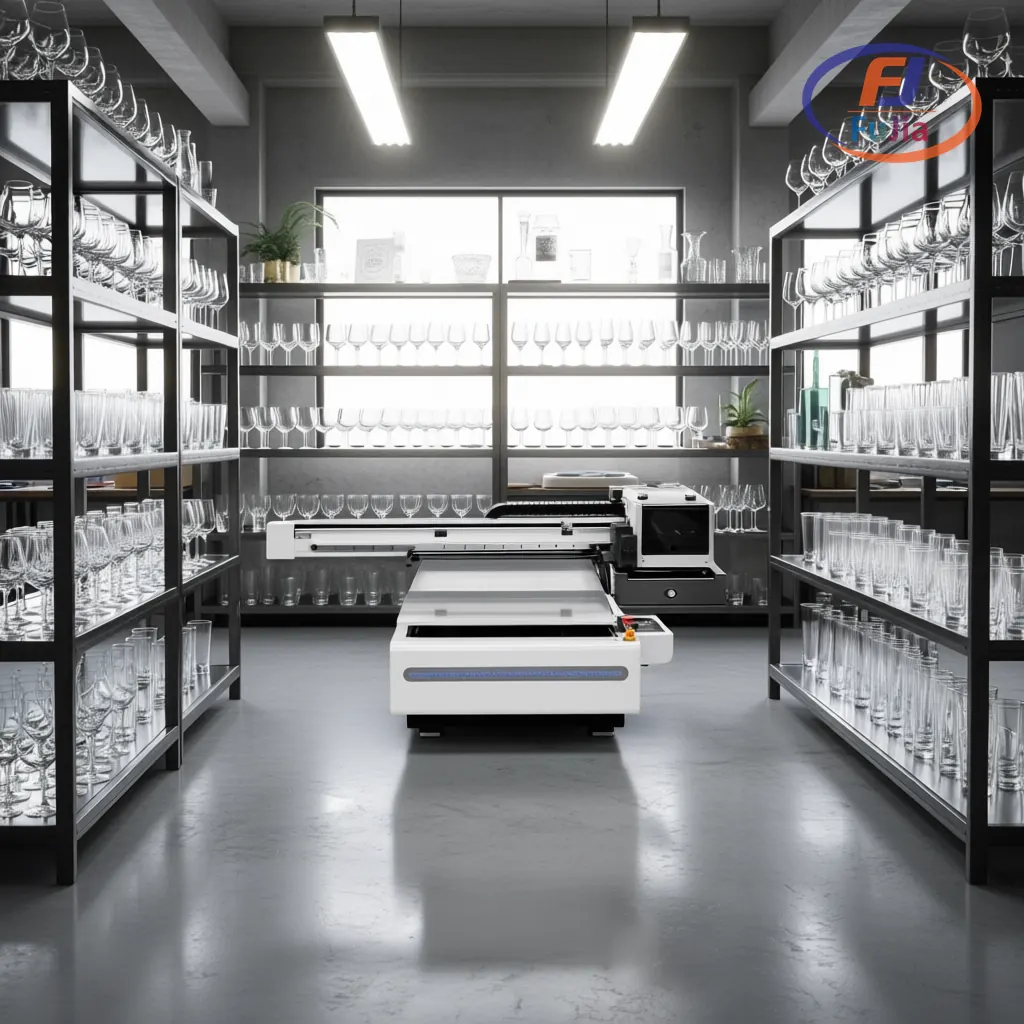
A glassware workshop in our customer base moved from outsourced UV printing to a Fujia A2 UV flatbed in mid-2025, primarily to take faster turnaround on custom-engraved-look effects on stemware and tumblers.
The honest result on the move: order-to-delivery time dropped from 5 business days (outsourced) to 36 hours (in-house). Margin on custom-engraved stemware improved by 22 percentage points because the shop no longer absorbs the outsource premium. The flatbed paid for itself in 11 months, and the workshop now runs the UV flatbed as its primary production line.
Honestly, the lesson from this deployment is that small business UV flatbed buying decisions are usually throughput-plus-margin trades, not raw cost. We recommend scoring total cost of ownership over a 36-month horizon, including printhead replacement and lamp replacement, because those line items silently double monthly cost on entry-level units.
What is a direct-to-substrate printer?
A direct-to-substrate printer is a UV flatbed that prints UV-cured ink straight onto a rigid material without any transfer film. The substrate sits on a flat vacuum table, the printhead carriage lays ink on top, and a UV-LED lamp cures each pass in milliseconds. Common substrates include glass, ceramic, metal, acrylic, wood, plastic sheet, leather, and stone. The output is a printed part ready for finishing with no heat press or peel step. Direct-to-substrate distinguishes UV flatbed from DTF, which prints onto a PET transfer film first, and from UV DTF, which prints onto a film with a laminated adhesive. UV flatbed outputs sit on top of the substrate as a bonded film that is mechanically scratch-resistant, not chemically diffused into the surface.
Is a UV printer the same as a direct-to-substrate printer?
A UV printer is a broad term that covers any printer using UV-curable ink, including UV flatbed, UV DTF, UV inkjet roll-to-roll, and UV hybrid. A direct-to-substrate printer specifically refers to UV flatbed printers that print onto rigid stock without a transfer film. Not all UV printers are DTS, but every DTS printer is a UV printer. The two terms overlap at the equipment level but diverge at the workflow level. Direct-to-substrate printing excludes the transfer step entirely and outputs a finished part on the table. A UV inkjet roll-to-roll printer does UV-curable ink but is not direct-to-substrate because it prints on flexible film. Buyers comparing equipment should match the term to the actual workflow, not the technology family.
What is the difference between a UV printer and a UV flatbed printer?
A UV printer is the broad term for any printer using UV-curable ink, while a UV flatbed printer specifically refers to a flatbed rig with a table that holds rigid substrate. UV flatbed is one type of UV printer, and the others include UV roll-to-roll, UV hybrid, and UV DTF. The flatbed form factor is what enables direct printing onto rigid stock. UV flatbed printers run a vacuum table, a Z-axis clearance of 50 to 100mm, and a printhead gantry that lays ink in horizontal passes. Other UV printer types print on flexible media and can not handle rigid stock without a transfer step. Buyers who specifically need to print on rigid materials should look for UV flatbed, not UV roll-to-roll.
What materials can a UV flatbed print on?
A UV flatbed prints on a wide range of rigid substrates, including glass, ceramic, metal, acrylic, wood, plastic sheet, PVC foam board, foam board, leather, stone, and aluminium composite panel. The substrate does not require coating or pre-treatment for the ink to bond, because UV-cured ink adheres mechanically to most clean surfaces. Thickness range typically spans 1mm to 50mm on a production flatbed, and 100mm to 150mm on industrial 2513 units. Substrate flatness matters, because a warped blank causes missing dots at lifted corners. The Fujia 6090 handles the bulk of small business blank sizes, while the 2513 industrial unit extends to 150mm clearance for shaped promotional items.
Conclusion
A direct-to-substrate printer works on any rigid stock between 1mm and 50mm thick, and the workflow sits below DTF or UV DTF in per-piece cost for signage. The deciding factor is substrate thickness and run length, and the right answer is rarely one printer alone. For factory-direct pricing on Fujia A2 4050, A1 6090, and 2513 UV flatbeds, plus free substrate compatibility testing on customer-supplied blanks, contact Fujia Print.
Sources
- Wikipedia, Ultraviolet inkjet printing: backs the UV-cured ink mechanism and printhead drop-on-demand physics.
- AATCC, test methods: backs the wash and colour-fastness standards cited for the durability claims.
- Wikipedia, Flatbed printer: backs the flatbed architecture and vacuum table mechanism.
- Fujia UV flatbed case study, Kenya glassware workshop: backs the deployment metrics and payback period cited in the workshop walk-through.
