

An affordable DTF printer is not the machine with the lowest sticker price, it is the one whose cost per finished transfer stays lowest over three years. Entry units start near $700, but ink, film, and powder typically cost more than the machine itself within the first 14 months of daily use.
Key Takeaways
- Desktop DTF machines start around $700 while industrial A1 systems reach $21,373, and the gap mostly buys printhead count and width, not print quality.
- Ink, film, and powder cost more than the printer within 14 months of daily production, so the sticker price ranks fourth in importance.
- A single-head A3 desktop machine suits shops under 200 transfers per week, while dual-head A1 units pay back faster above that volume.
- White ink circulation and parts availability decide whether an affordable machine stays affordable in year two.
- Calculate cost per transfer before comparing prices, because a $700 machine and a $6,000 machine can land within cents of each other per shirt.
What “Affordable” Means for a DTF Printer
Affordable means the total cost of producing one finished transfer stays competitive, not that the invoice was small. The DTF process prints a design onto PET film, applies hot melt adhesive powder, cures the powder, then heat presses the result onto fabric at 160°C for 15 seconds with a cold peel.
Four cost streams run through that process. The machine is a one-time capital cost, while DTF ink, DTF film, and DTF powder are consumables that never stop. Labour, power, and reprints from failed transfers form the fourth stream, and that stream is where badly supported machines quietly drain money.
The real question with the word affordable is simple: it is a ratio, not a number. A machine that sits idle for two weeks waiting on a part costs more per transfer than a machine that never stops, regardless of what either one cost to buy.
Shops comparing DTF printer price tiers usually discover the same pattern. The purchase price predicts almost nothing about the three-year cost.
DTF Printer Price Tiers: What Each Level Buys
The market splits into four tiers, and the boundaries are defined by printhead count and media width rather than brand.
| Tier | Price range | Printhead | Media width | Typical output | Best for |
|---|---|---|---|---|---|
| Entry desktop | $699.95 to $1,999.95 | 1 Epson XP600 | 300mm (13in) | 2 to 3 m²/hr | Under 200 transfers/week |
| Mid desktop | $2,099 to $5,527.96 | 2 Epson XP600 or I3200 | 300 to 420mm | 4 to 8 m²/hr | 200 to 600 transfers/week |
| Prosumer A1 | $5,199 to $10,495 | 2 Epson I3200 | 650mm (25.5in) | 8 to 13 m²/hr | 600 to 1,500 transfers/week |
| Industrial A1 | $13,495 to $25,772.95 | 3 to 5 Epson I3200 | 650mm plus | 17 to 27 m²/hr | Above 1,500 transfers/week |
Real listings show these boundaries clearly. The Sawgrass SG500 VersiFlex DTF Light Hybrid sells at $699.95, while the Epson SureColor G6070 35in sits at $13,495.00, and Epson G6070 shaker configurations reach $21,373 to $25,772.95.
Finance changes the math for cash-flow-sensitive buyers. Swing Design lists the eufyMake E1 UV DTF at $2,099 to $3,799 with payments from $70 per month, and the xTool DTF Apparel PLUS at $5,199 to $10,495 from $143 per month.
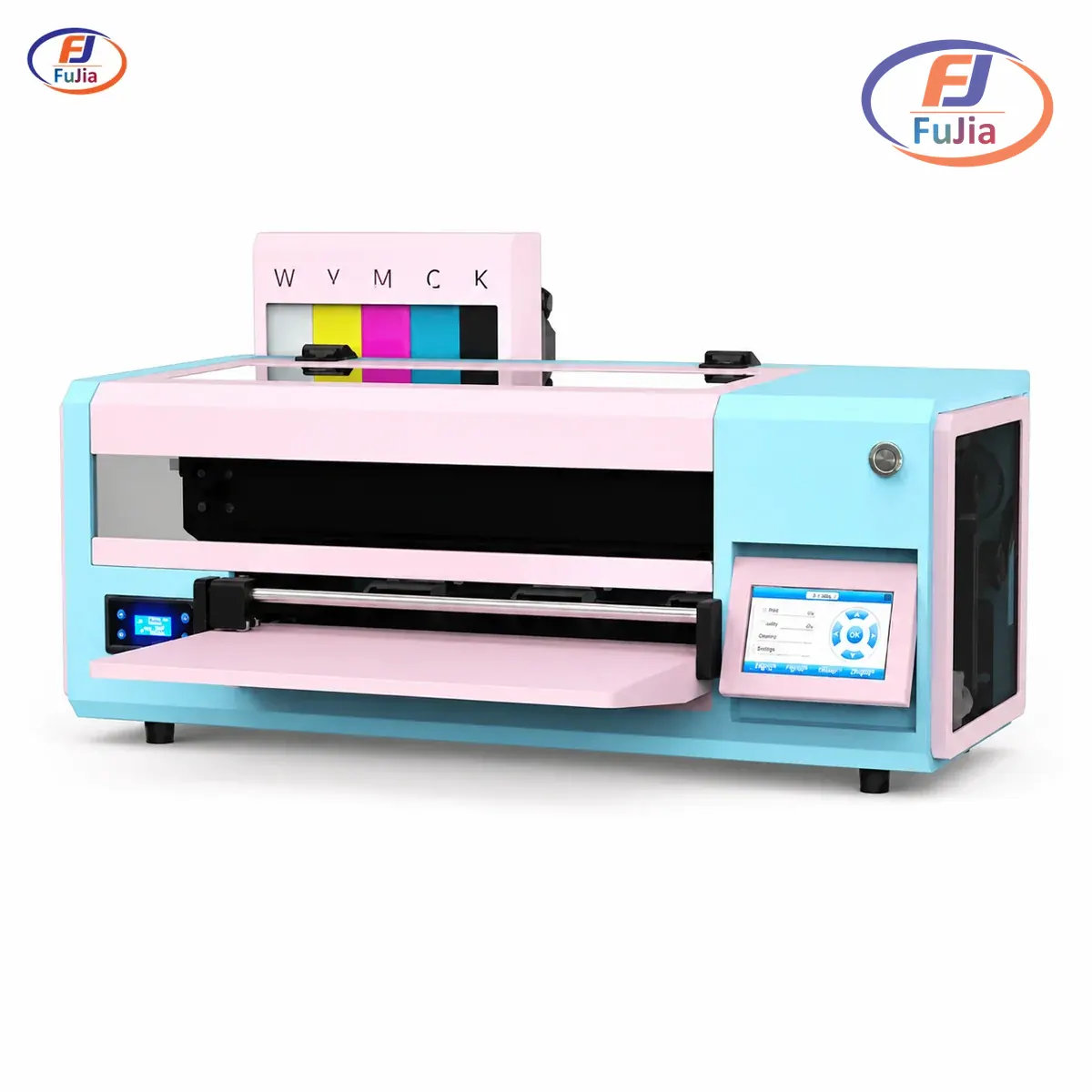
Fujia Print builds across the middle of that range as a factory-direct manufacturer. The DTF printer lineup spans a 30cm A3 desktop unit with a single Epson XP600 up to a 65cm A1 machine carrying four Epson I3200 heads at 27 m²/hr. Buying direct removes the distributor margin, which matters most in the prosumer tier where that margin is fattest. Ask for a factory-direct quote to see where the A3 and A1 units land against the four tiers above.
The Running Cost Nobody Quotes
Consumables decide the real cost, and most listings never mention them. Every transfer consumes white ink, CMYK ink, film, and powder, and the white ink layer dominates because it prints as a solid base under the colour.
Based on data from our customers across 50+ countries, consumables overtake the machine cost between month 10 and month 18 of daily production, with the crossover arriving sooner for shops running dark garments at high white ink coverage.
| Cost stream | Entry desktop ($699.95 machine) | Prosumer A1 ($8,745 machine) | Notes |
|---|---|---|---|
| Machine amortised over 36 months | ~$19/month | ~$243/month | Straight-line, no residual |
| Ink per 1,000 A4 transfers | $180 to $260 | $150 to $210 | Bulk supply lowers the spread |
| Film per 1,000 A4 transfers | $90 to $140 | $90 to $140 | Width drives waste, not tier |
| Powder per 1,000 A4 transfers | $40 to $70 | $40 to $70 | Coverage dependent |
| Reprint allowance (3% to 8%) | $9 to $38 | $8 to $34 | Higher on unsupported machines |
| Indicative cost per A4 transfer | $0.32 to $0.51 | $0.29 to $0.46 | Excludes labour and power |
The honest truth is that the per-transfer gap between a $700 machine and a $8,745 machine is far smaller than the price gap suggests. A $699.95 desktop unit at $0.51 per transfer and an $8,745 prosumer unit at $0.29 per transfer differ by 22 cents, and recovering an $8,045 price difference at 22 cents per transfer takes roughly 36,500 transfers.
That calculation cuts both ways. Volume is the only variable that matters, and shops below 200 transfers per week will not recover a prosumer premium inside a sane window.
Where Cheap Machines Genuinely Win
Entry machines win on three specific grounds, and pretending otherwise insults the reader.Serving garment decorators across 50+ countries, most shops overbuy printhead capacity in year one. They never grow into it.
Low volume. A shop printing under 200 transfers per week will not wear out an XP600 before it has earned its keep. The printhead is a consumable with a finite life, and low volume stretches that life across more calendar months.
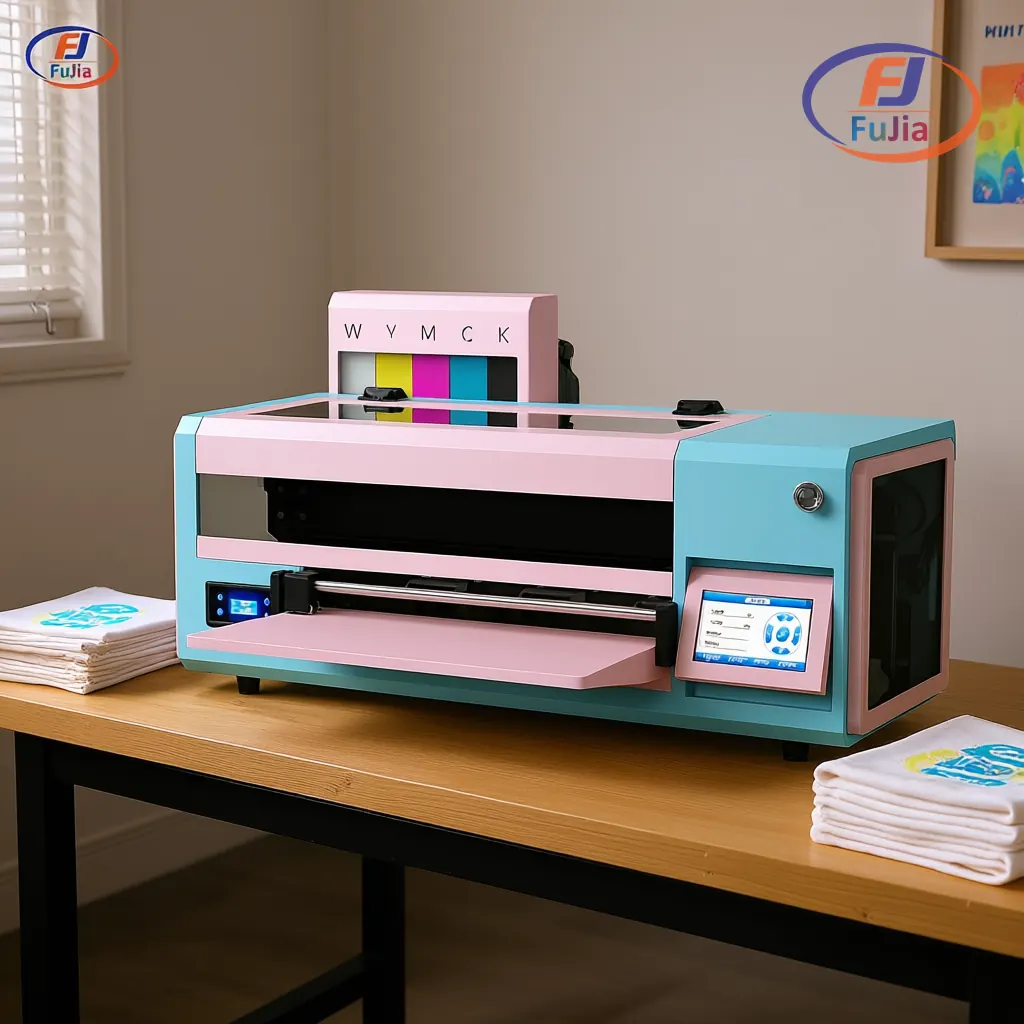
Floor space. A 30cm A3 desktop unit fits a standard 120cm workbench in a 20 m² room. An A1 system with shaker needs dedicated floor space plus a separate circuit for 2300W of shaker power.
Learning cost. Mistakes on a single-head machine cost one printhead, not four. The same settings error on a four-head industrial unit turns into a far more expensive lesson.
Fujia’s own A3 desktop machine uses one Epson XP600 at 300mm width, runs 2 to 3 m²/hr, and reaches 1440×1440 dpi. The transmission stack pairs a Honson mainboard with a Leadshine servo motor on a THK silent guide rail, the same stack used in the larger A1 machines. Idle noise stays under 32 dB.
What cheap machines lose on is uptime support. A printer without a parts pipeline becomes an expensive shelf.
A Payback Calculation from a Real Shop
A creative studio in São Paulo bought the Fujia A3 desktop DTF printer to stop outsourcing. The studio had been paying R$15 to R$22 per outsourced A3 sheet, and in-house production brought the total cost to R$6.5 per order, a 64% reduction.
Profit per order rose 96%, and weekly order volume moved from 15 to 22 orders, up 45%.
Payback landed at 5.5 months against an 18-month projection.
The studio ran the machine in a 20 m² workspace on a standard bench. That detail matters most for buyers weighing an affordable desktop unit against a floor-standing system, because floor space is a real cost in most cities. Full numbers sit in the Brazil studio case study.
Based on data from our customers across 50+ countries, payback on a single-head desktop DTF setup typically lands between 4 and 9 months for shops replacing outsourced transfers, and between 9 and 18 months for shops starting from zero order book. Developed markets with higher labour costs see faster payback, because the outsourced transfer price they replace is higher.
Where can I get DTF prints cheap?
Cheap DTF prints come from two places, and they suit different situations. Outsourcing to a transfer supplier costs roughly $0.60 to $1.50 per A4 sheet depending on volume and region, which suits shops under 50 transfers per week with no capital to spend. Producing in-house on an affordable desktop DTF printer drops the cost to roughly $0.32 to $0.51 per A4 transfer including ink, film, powder, and a reprint allowance, based on data from our customers across 50+ countries. The crossover point sits near 150 to 200 transfers per week, and below that volume the outsourced route usually wins once you count the machine payment, the learning curve, and daily maintenance. Above it, in-house production wins decisively because consumable cost scales linearly while the outsourced margin does not.
What is a good DTF printer for beginners?
A good beginner DTF printer is a single-head A3 desktop unit with a 300mm print width and an Epson XP600 printhead, because the printhead is cheap to replace and the media is the cheapest available. Look for three specific features before price. Automatic white ink circulation matters most, since titanium dioxide settles in the lines overnight and a machine without circulation clogs within weeks of intermittent use. A siphon or positive pressure ink supply with 1000 to 1500ml capacity per colour reduces refill frequency. Third, check that the supplier stocks printheads, dampers, and mainboards with a stated dispatch window, because a two-week wait for a $40 part costs more than the savings from a cheaper machine. Fujia Print includes a 12-month warranty with 48-hour common parts dispatch and a 3-day remote onboarding programme.
Is owning a DTF printer worth it?
Owning a DTF printer is worth it above roughly 150 transfers per week, and questionable below that. The machine itself is rarely the deciding factor, because a desktop unit at $699.95 amortises to about $19 per month over 36 months. The deciding factors are the outsourced price you are replacing, the white ink coverage your designs need, and whether you can absorb the 3 to 5 minutes of daily maintenance without skipping it. Shops that skip daily nozzle checks and capping station wipes see reprint rates climb from 3% toward 8%, which erases the savings fast. DTF transfers also survive 50+ heavy machine washes at AATCC colour fastness grade 4 to 5, so the output quality is not a compromise against other methods.
What printer can be used for DTF?
A DTF printer is a modified inkjet printer feeding PET film with a white ink channel, a powder application step, and a curing stage. Purpose-built DTF machines use Epson printheads, most commonly the XP600 in entry units and the I3200 in production units, because Epson’s PrecisionCore architecture handles pigmented white ink better than thermal heads. Converting an ordinary desktop inkjet is possible in theory and rarely works in practice, since consumer printers lack white ink channels, lack the film transport path, and their heads are not rated for pigment white. Anyone considering that route should read about DTF printer conversions before spending money on a conversion kit, because the failure rate is high and the resale value is nil.
Conclusion
An affordable DTF printer is the machine whose cost per transfer stays lowest at your actual weekly volume, which for most small shops means a single-head A3 desktop unit rather than the cheapest listing available. Entry machines start at $699.95, consumables overtake the machine cost within 10 to 18 months, and the desktop route paid back in 5.5 months for a São Paulo studio cutting per-order cost by 64%. Run your own volume against the cost-per-transfer table before you shop on price. For factory-direct DTF printer pricing and free sample inquiries, contact Fujia Print.
Sources
- AATCC test methods: backs the colour fastness grading and wash durability claims cited above.
- ASTM standards: backs the standardised textile testing framework referenced for durability claims.
- Wikipedia, textile printing: backs the process description of transfer printing onto fabric.
- Keypoint Intelligence: independent analysis of the digital printing hardware market.
