

DTF film for inkjet printers is a specially coated PET (polyethylene terephthalate) film that receives water-based pigment ink from an inkjet printhead, enabling users to create Direct-to-Film transfers without a dedicated DTF printer. The film works with both modified desktop inkjet printers and industrial roll-to-roll DTF systems.
Key Takeaways
- DTF film is a double-sided coated PET film that holds inkjet-printed designs for heat transfer to garments
- Standard inkjet printers (Epson WorkForce, EcoTank, SureColor) can print DTF film when loaded with DTF pigment ink
- Hot peel and cold peel are the two main film types, differing in release temperature and transfer finish
- A3 DTF film sheets cost $0.20-$0.60 each, while roll film for A1 printers costs $0.08-$0.15 per square foot
- Compatible inkjet printers must use pigment-based DTF ink, not dye-based ink, for proper powder adhesion
What Is DTF Film?
DTF film is a PET-based carrier material with a proprietary coating that accepts inkjet-printed ink and holds hot-melt adhesive powder. The film serves as a temporary carrier: the design is printed onto the film, powder is applied, the film is pressed onto fabric, and then the film is peeled away, leaving the design bonded to the garment.
The coating on DTF film determines its ink-receptive properties and peel behavior. Fujia Print developed its DTF film coating over 5 years of iteration, using Hengli virgin PET base material with a proprietary cold and hot peel coating formula. The base film thickness ranges from 75 to 100 micrometers, balancing durability during printing with flexibility during the peel step, according to technical documentation on Direct-to-Film printing from Wikipedia.
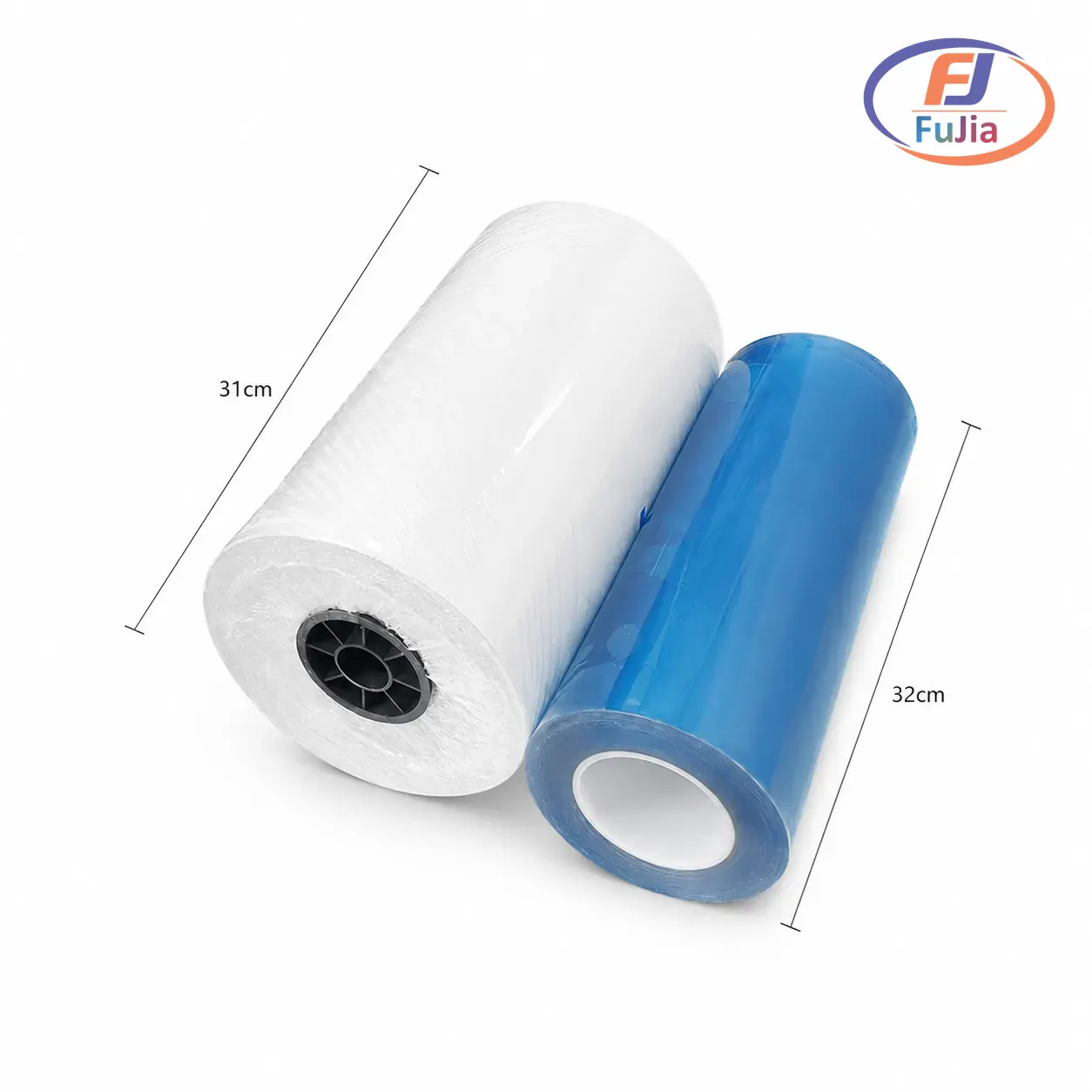
DTF film comes in two physical formats. Sheet film (A3, A4, letter size) feeds through desktop inkjet printers one sheet at a time. Roll film (30cm, 42cm, 60cm widths) feeds continuously through roll-to-roll DTF printers paired with automatic powder shakers. Sheet film suits hobbyists and small-batch producers. Roll film serves production environments running hundreds of transfers per day.
Can You Use DTF Film in a Regular Inkjet Printer?
Yes, DTF film can run through standard inkjet printers, but the printer must be loaded with DTF-compatible pigment ink. A regular inkjet printer using dye-based ink will not produce usable DTF transfers, because dye-based ink lacks the pigment particles needed for proper adhesion to the hot-melt powder.
The most common inkjet printers modified for DTF film printing include:
| Printer Model | Type | Max Width | Price Range | DTF Compatible |
|---|---|---|---|---|
| Epson EcoTank ET-15000 | Desktop inkjet | 330mm (13in) | $500-$700 | Yes, with DTF ink conversion |
| Epson WorkForce WF-7720 | Desktop inkjet | 330mm (13in) | $200-$400 | Yes, with DTF ink conversion |
| Epson SureColor F570 | Desktop sublimation | 330mm (13in) | $800-$1,000 | Yes, with DTF ink conversion |
| Fujia A3 DTF 1-Head | Dedicated DTF | 300mm | $500-$1,200 | Native DTF, no conversion needed |
| Fujia A1 DTF 2-Head | Dedicated DTF | 650mm | $2,000-$4,000 | Native DTF, no conversion needed |
Converting a standard Epson inkjet to DTF requires flushing the dye ink system and filling it with DTF pigment ink (CMYK + white). The conversion also requires RIP software (Maintop, Photoprint, or Flexi) to manage the mirrored printing and white ink layer. Dedicated DTF printers from Fujia Print include these systems natively, with Honson mainboards, Leadshine servo motors, and THK guide rails engineered for the viscosity and flow characteristics of DTF pigment ink.
For step-by-step instructions on the conversion process, read our beginner guide to DTF printing.
How to Print DTF Film with an Inkjet Printer
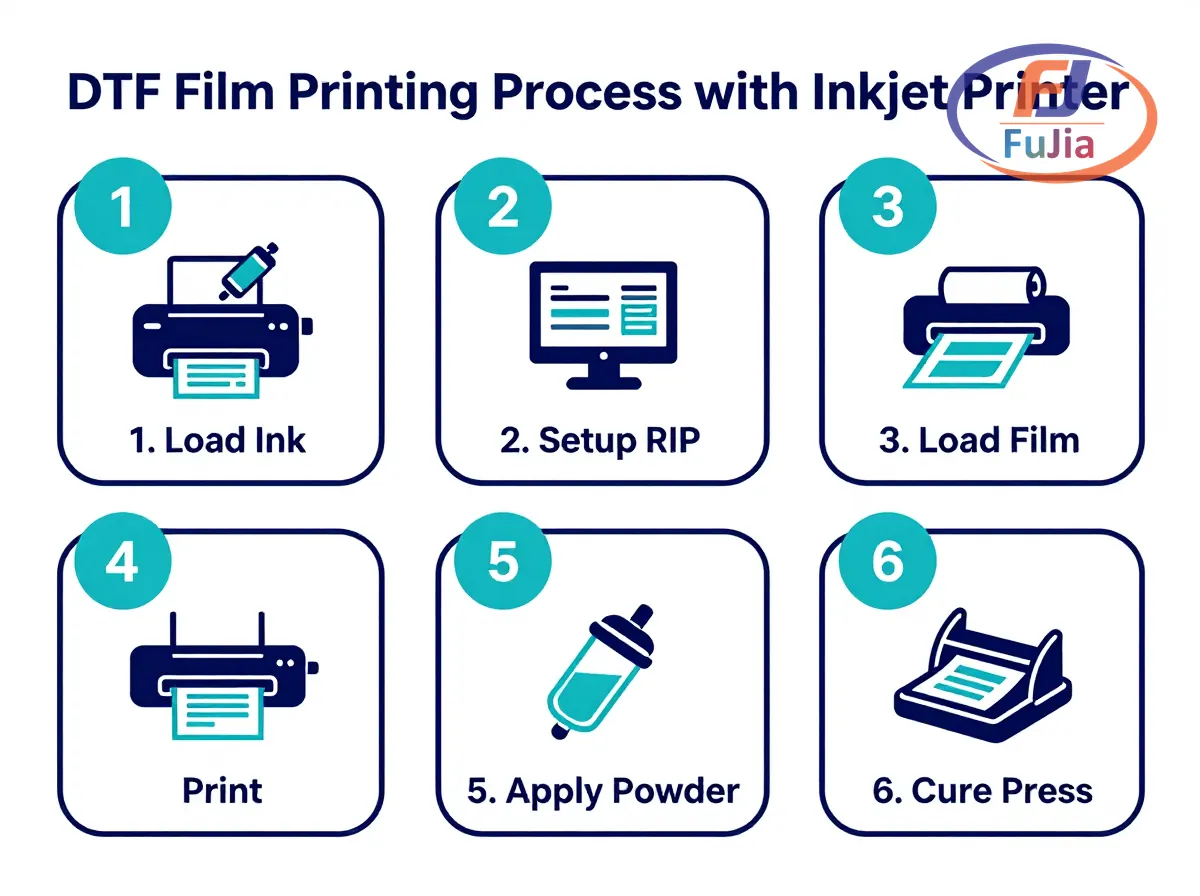
Step 1: Load DTF pigment ink.
Fill the inkjet printer’s tanks or cartridges with DTF pigment ink. CMYK colors go in the standard channels. White ink requires a dedicated channel or a second pass on modified systems. Flush the entire ink system thoroughly before loading DTF ink to prevent dye-pigment contamination.
For a full overview of the machines that run these films, browse the Fujia DTF printer lineup.
Step 2: Set up RIP software.
Install RIP software (Maintop, Photoprint, or Flexi) and configure the print settings: mirror the image, set white ink underbase layer, adjust ink limit to 200-280%, and select the correct ICC profile for your DTF film. The white layer prints after CMYK and must cover the entire design area to create an opaque backing.
Step 3: Load the DTF film.
Feed DTF film sheets into the printer’s manual feed tray, coated side facing the printhead. The coated side feels slightly rougher or tackier than the uncoated side. For roll-to-roll systems, thread the film through the media path and align the edges with the guide rails.
Step 4: Print the design.
Send the print job through RIP software. The printer deposits CMYK ink followed by white ink onto the film surface. Print resolution should be 720×1440 dpi or higher for photographic quality. Entry-level desktop printers produce 2-3 square meters per hour, while industrial A1 systems deliver 8-27 square meters per hour depending on the number of printheads.
Step 5: Apply adhesive powder.
While the ink is still wet, apply DTF hot-melt adhesive powder to the printed film. For manual processing, sprinkle powder evenly across the film and tap off excess. For automated systems, the powder shaker applies and removes excess powder in a single pass. The powder adheres only to wet ink areas, creating the adhesive bond layer.
Step 6: Cure and press.
Cure the powder at 160 degrees Celsius until it melts and becomes transparent (typically 2-5 minutes in an oven or through a shaker-curing unit). Then heat-press the cured film onto the garment at 160-170 degrees Celsius for 10-15 seconds at medium pressure. Peel the carrier film away (hot or cold, depending on film type) to reveal the finished transfer.
DTF Film Types: Hot Peel vs Cold Peel
| Property | Hot Peel Film | Cold Peel Film |
|---|---|---|
| Peel temperature | Peel immediately after pressing (while hot) | Peel after cooling to room temperature |
| Transfer feel | Softer, more flexible hand | Slightly thicker, more rubbery feel |
| Finish | Matte finish | Glossy finish |
| Wash durability | 40-50 wash cycles | 60+ wash cycles |
| Best for | Cotton t-shirts, lightweight fabrics | Heavy fabrics, bags, hats |
| Price premium | Standard price | 10-20% more expensive |
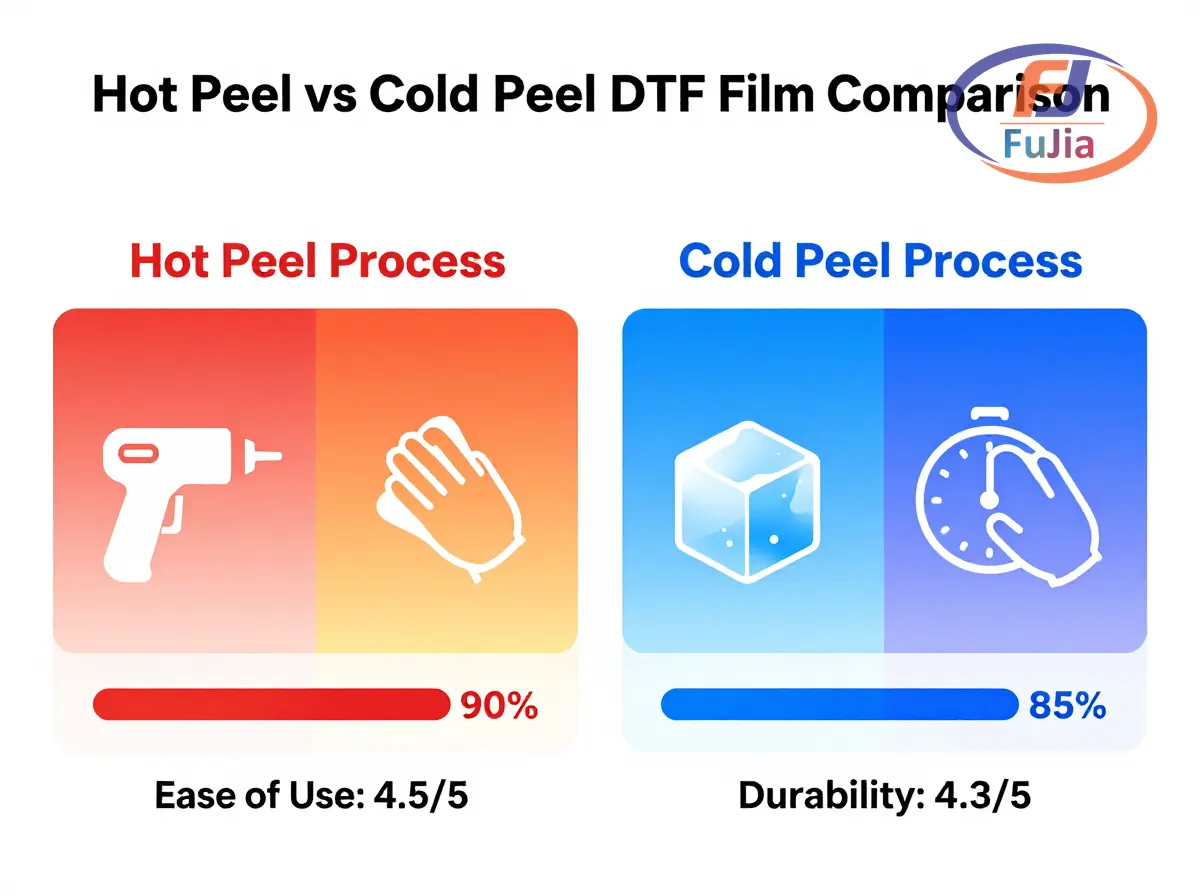
Hot peel film dominates the market for desktop inkjet DTF printing because it enables faster production: the operator peels immediately without waiting for cooling. Cold peel film produces more durable transfers with a glossier appearance, making it the preferred choice for commercial production environments.
The Fujia Print film product line offers both variants in three widths: A1 roll (60cm), A2 roll (42cm), and A3 roll/sheet (30cm). All variants use the same Hengli virgin PET base with the proprietary coating developed through 5 years of in-house R&D.
DTF Film Cost Breakdown
| Film Format | Size | Price per Unit | Price per sq ft | Yield |
|---|---|---|---|---|
| A4 sheet | 210x297mm | $0.15-$0.30 | $0.60-$1.20 | 1 design per sheet |
| A3 sheet | 297x420mm | $0.25-$0.60 | $0.35-$0.85 | 1-2 designs per sheet |
| Letter sheet | 216x280mm | $0.15-$0.35 | $0.55-$1.30 | 1 design per sheet |
| A3 roll | 300mm x 100m | $15-$35 per roll | $0.12-$0.30 | 300+ designs per roll |
| A1 roll | 600mm x 100m | $40-$80 per roll | $0.08-$0.15 | 600+ designs per roll |
Roll film delivers significantly lower per-transfer costs than sheet film. A print shop producing 50 transfers per day on A3 roll film spends $6-$15 daily on film, compared to $12-$30 for equivalent A3 sheets. Based on data from our customers across 50+ countries, film represents 30-40% of total consumable cost per transfer, with DTF ink at 40-50% and adhesive powder at 15-20%.
Common DTF Film Problems and Solutions
Ink bleeding or pooling on film
Cause: Excessive ink limit in RIP software or incompatible ICC profile. Solution: Reduce ink limit to 200-240% and verify the correct DTF film ICC profile is loaded. Test with a density chart before production runs.
Powder not adhering to printed areas
Cause: Ink dried before powder application, or dye-based ink instead of pigment ink. Solution: Apply powder within 30 seconds of printing while ink remains wet. Verify that DTF pigment ink (not dye-based) is loaded in all channels.
Transfer peeling off garment after washing
Cause: Insufficient curing temperature, incomplete powder coverage, or low press temperature. Solution: Cure powder at 160 degrees Celsius minimum. Press at 160-170 degrees Celsius for the full 10-15 seconds. Perform a post-press (5 seconds with silicone paper) to improve adhesion.
Film jams in inkjet printer
Cause: Incorrect film orientation (uncoated side up) or static buildup. Solution: Verify coated side faces printhead (feels slightly tacky). Use anti-static tinsel or sheets near the printer input to dissipate static charge, especially in dry environments below 40% relative humidity.
Recommended DTF Film and Inkjet Setup
For hobbyists testing DTF for the first time, an Epson EcoTank ET-15000 with DTF pigment ink conversion and A3 sheet film provides a capable entry point at $500-$800 total. For production shops, a dedicated Fujia A3 DTF 1-Head or A1 DTF 2-Head printer eliminates the conversion hassle and delivers consistent quality with native white ink circulation, automatic powder shaking, and RIP software pre-configured for DTF film.
Browse Fujia Print DTF film products for roll and sheet options, or explore our DTF consumables wholesale guide for bulk pricing on film, ink, and powder bundles.
Can I print DTF film with a regular inkjet printer?
Yes, you can print DTF film with a regular inkjet printer after converting the ink system to DTF pigment ink. The printer must use pigment-based ink (not dye-based) for the hot-melt adhesive powder to bond properly. Popular conversion targets include the Epson EcoTank ET-15000, Epson WorkForce WF-7720, and Epson SureColor F570. The conversion process involves flushing the existing dye ink, installing DTF pigment ink (CMYK + white), and configuring RIP software to handle mirrored printing and white ink underbase generation. Desktop inkjet printers modified for DTF typically produce 2-3 square meters per hour at 720×1440 dpi resolution. Dedicated DTF printers from Fujia Print offer native DTF ink systems with white ink circulation, automatic powder shakers, and industrial printheads, eliminating conversion complexity.
What is the best DTF film for inkjet printers?
The best DTF film for inkjet printers depends on your production needs. For beginners and hobbyists, A3 hot peel sheets ($0.25-$0.60 each) from brands like A-SUB and HTVRont provide reliable results with easy peel-off. For production shops, A1 or A3 roll film ($0.08-$0.15 per square foot) significantly reduces per-transfer costs. Fujia Print DTF film uses a Hengli virgin PET base with a proprietary coating developed over 5 years of R&D, offering consistent ink absorption and clean peel performance in both hot and cold peel variants. Key quality indicators include uniform coating (no streaks or bare spots), proper static control, and clean release without residue left on the garment.
Do you need a special printer for DTF film?
No, you do not strictly need a special printer for DTF film, but a dedicated DTF printer produces significantly better results. A standard inkjet printer can run DTF film after conversion to pigment ink, but it lacks dedicated white ink channels, automated powder application, and RIP software integration. Dedicated DTF printers like the Fujia A1 DTF 2-Head include dual Epson I3200 printheads for CMYK and white, an integrated powder shaker and curing unit, and pre-configured RIP software (Maintop or Photoprint). These systems deliver 8-27 square meters per hour, compared to 2-3 square meters per hour for converted desktop inkjets. The investment difference is substantial ($500 vs $2,000-$6,000), but production shops recover the cost through higher throughput and lower per-transfer waste.
How long do DTF film transfers last?
DTF film transfers last 40-60 wash cycles when properly applied and cared for. Hot peel transfers typically endure 40-50 wash cycles before showing signs of cracking or fading. Cold peel transfers last 60+ cycles due to the thicker adhesive bond layer. Wash durability depends on three factors: proper curing temperature (160 degrees Celsius minimum), adequate press time (10-15 seconds at 160-170 degrees Celsius), and correct washing practices (wash inside-out in cold water, tumble dry low). Transfers should survive at least 45 home laundry cycles when produced with quality DTF film, pigment ink, and adhesive powder, based on industry testing data from Keypoint Intelligence reporting washfast durability above 100 laundry cycles in controlled testing.
Conclusion
DTF film enables standard inkjet printers to produce professional garment transfers when paired with DTF pigment ink and adhesive powder. Explore Fujia Print DTF printer systems for native DTF setups that bypass inkjet conversion, or browse our DTF consumables collection for compatible film, ink, and powder.
