

UV printers print directly onto rigid objects — phone cases, metal panels, glass, acrylic — without pretreatment. Here is how to buy wholesale from the factory, what MOQs to expect, and how to compare UV flatbed vs hybrid models.
For anyone selling printing equipment, UV printers represent the high-margin product line with industrial buyers who buy in batches and stay for years. The economics work differently — higher machine costs, lower consumable frequency, and customers who care more about uptime and precision than about the cheapest ink price.
This guide covers UV printer OEM/wholesale from the equipment seller’s perspective: what to source, how to price it, who your customers actually are, and how to avoid the pitfalls that sink most new UV printer brands.
This article is for: Equipment distributors adding UV to their catalog, print shop owners expanding into hard-surface printing, and entrepreneurs building a private-label UV printer brand.
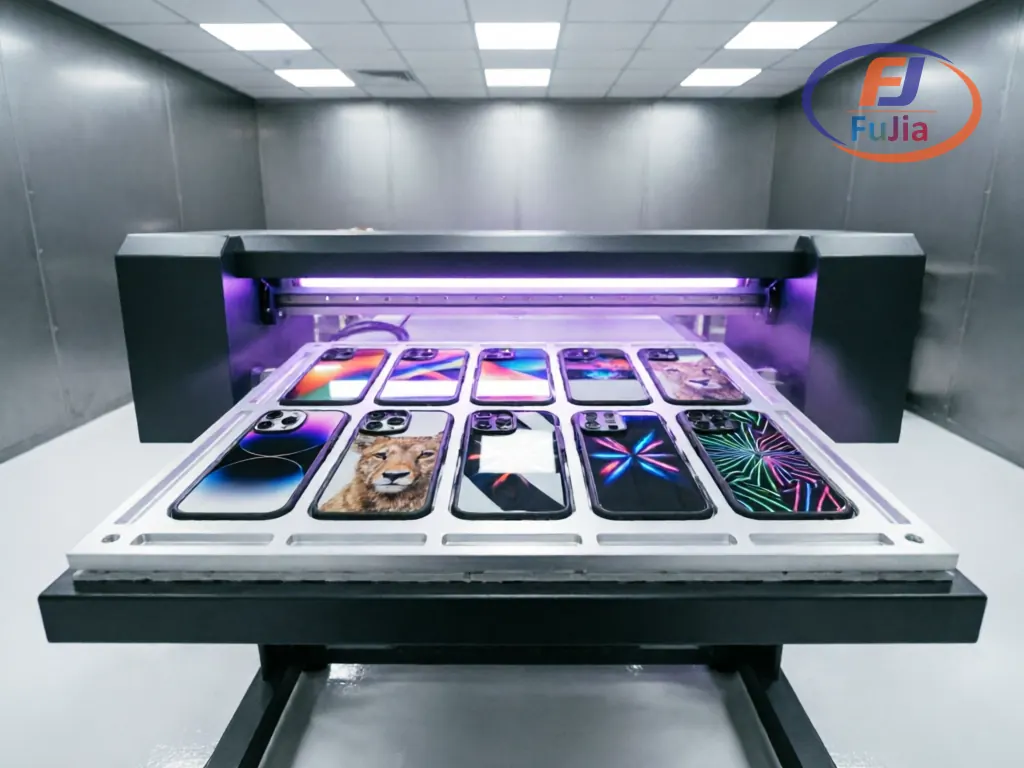
UV Printers vs. Everything Else: Why They Belong in Your Catalog
Most printing equipment sellers specialize in one technology. The problem is that customers don’t — they print on whatever the market demands.
| Technology | Best For | Substrate | Typical Customer |
|---|---|---|---|
| DTF | Apparel, textiles | Cotton, polyester, blends | Print shops, garment decorators |
| Sublimation | Polyester, hard surfaces (pre-coated) | Light-colored fabric, mugs, plates | Promotional product makers |
| UV Flatbed | Rigid objects, hard surfaces | Phone cases, bottles, wood, glass, metal, acrylic | Industrial manufacturers, signage shops |
| UV DTF | Hard surfaces (transfer method) | Bottles, tumblers, irregular shapes | Custom product businesses |
UV flatbed printers have no real competition for their core use case. If a customer needs to print on 500 phone cases per day with photo quality, UV flatbed is the only practical answer. Sublimation requires pre-coated blanks. Screen printing can’t do photorealistic detail. Pad printing is limited in size and color.
Adding UV to your catalog means you can serve the customers your DTF competitors ignore. A shop that prints custom phone cases, promotional items, and industrial labels might buy a DTF printer from someone else but will buy their UV printer from whoever has the right equipment and support.
The UV Printer Market: Who Buys What and Why
UV printer customers fall into three distinct segments, each with different requirements and budgets.
Segment 1: Phone Case & Small Accessories Manufacturers
This is the volume segment. Phone case manufacturers print on TPU, PC (polycarbonate), silicone, and glass-back cases — materials that UV ink adheres to naturally with proper surface treatment.
Typical requirements:
– Print area: 30×40cm to 60×90cm (A3 to A1 equivalent)
– Speed: 30–100 cases per hour depending on automation level
– Ink: UV-curable CMYK + White + optional Varnish
– Resolution: 1440 dpi minimum for photo-quality prints on small surfaces
– White ink circulation: essential for dark cases and TPU materials
Price sensitivity: Moderate. They’ll pay for reliability because downtime costs more than the machine premium. A factory printing 500 cases/day loses $2,000+ in output per day of downtime.
Segment 2: Promotional Product & Customization Shops
These customers print on a wider range of substrates — golf balls, pens, USB drives, lighters, keychains, drinkware. They need versatility over speed.
Typical requirements:
– Print area: 30×40cm (A3) is usually sufficient
– Speed: 20–50 items per hour acceptable
– Ink: CMYK + White + Varnish + optional primer
– Fixtures/jigs: interchangeable templates for different product shapes
– Budget: $2,000–$8,000 depending on automation
Price sensitivity: Higher. These are often small businesses where the printer is one of several capital investments. They shop on price but make repeat purchases on support.
Segment 3: Industrial & Signage
This is where UV printing competes with screen printing and solvent printing for signage, industrial panels, nameplates, and architectural elements.
Typical requirements:
– Print area: 1.2m × 2.4m or larger (4×8 ft flatbeds)
– Speed: measured in square meters per hour
– Ink: CMYK + White + Varnish, industrial formulations with extended outdoor durability
– Resolution: 720–1440 dpi acceptable depending on viewing distance
– Budget: $15,000–$80,000+
Price sensitivity: Lowest. These buyers spec equipment based on throughput and durability. They’ll pay a premium for Ricoh or Konica Minolta printheads over Epson if the ROI justifies it.
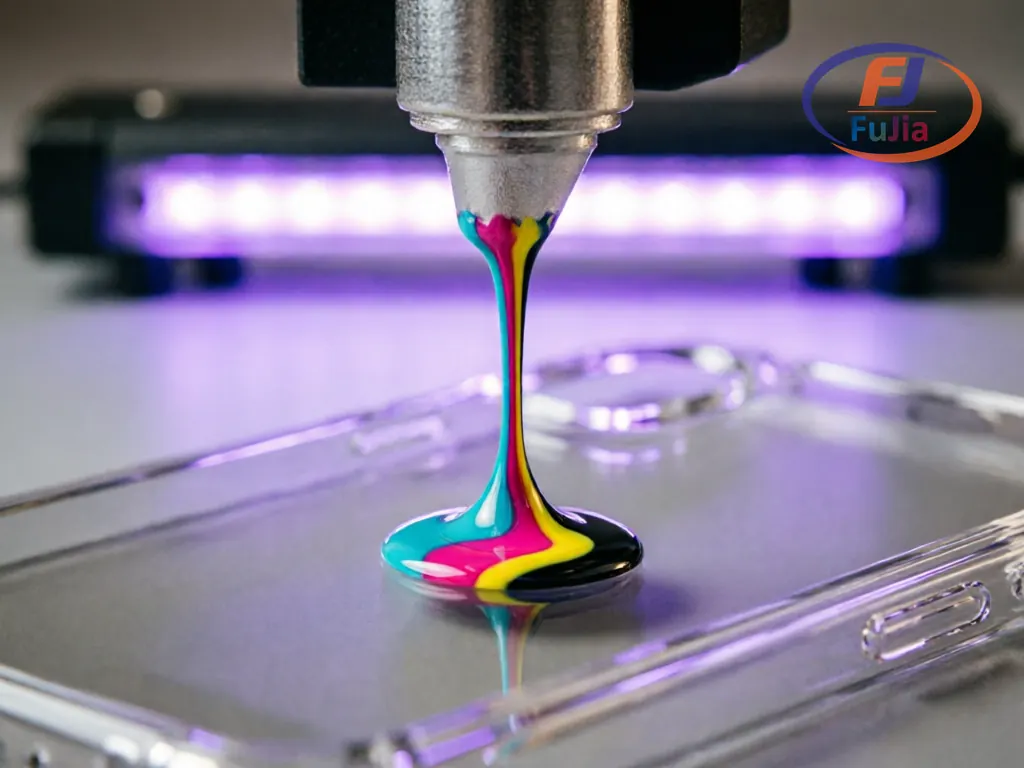
UV Printer Specs That Actually Matter
Manufacturers love to spec UV printers with impressive numbers. Most of those numbers are meaningless for buying decisions. Here’s what actually determines whether a UV printer is worth your money — and your customers’ money.
Printhead: The Decision Point
| Printhead | Resolution | Speed | Lifespan | Cost | Best For |
|---|---|---|---|---|---|
| Epson XP600 | 1440 dpi | Slow | 8–12 months | $300–$500 | Entry/phone case (low volume) |
| Epson i1600 | 600 dpi | Medium | 12–18 months | $400–$600 | Budget industrial |
| Ricoh Gen5 | 1200 dpi | Fast | 3–5 years | $1,500–$3,000 | Mid-high industrial |
| Konica Minolta 1024i | 360 dpi | Very fast | 5+ years | $2,000–$4,000 | High-speed signage |
For phone case OEM, Epson XP600 dominates the entry market at the $2,000–$4,000 price point. It delivers the resolution customers demand for photographic phone case prints (Alibaba SmartBuy UV printer guide). The trade-off is a printhead that typically needs replacement within 12 months of regular use.
For industrial flatbeds (60×90cm and up), Ricoh Gen5 is the standard. The 3–5 year printhead life justifies the higher initial investment. A factory running a Ricoh Gen5 printer at capacity produces enough output to absorb the printhead cost in the first 6 months.
OEM decision rule: If the machine costs less than $5,000, spec XP600 or i1600. If it costs more than $8,000, spec Ricoh Gen5 or equivalent. The printhead cost should be 15–25% of the machine’s ex-factory price, not 40%. For a detailed printhead comparison across technologies, see our DTF printer OEM guide.
White Ink Circulation
This is the single biggest quality differentiator between entry and professional UV printers. UV white ink settles faster than CMYK because of its high pigment load (titanium dioxide). Without active circulation, the ink separates in the lines within 30 minutes of idle time, causing banding and nozzle clogging.
A proper white ink system includes:
– Peristaltic pump circulating ink from the sub-tank back to the main tank
– Agitation in the white ink sub-tank (mechanical or ultrasonic)
– Automatic purge cycle when the machine sits idle for more than 4 hours
If a manufacturer quotes a UV printer without specifying the white ink circulation mechanism, ask. A machine without it will cost you more in printhead replacements and wasted ink than the circulation system costs to add.
Print Speed: Real vs. Advertised
UV printer manufacturers quote speeds in square meters per hour at the lowest quality setting. Nobody prints at that setting for customer orders.
| Setting | Typical Actual Speed | Real-World Use |
|---|---|---|
| Draft (quoted speed) | 15–40 m²/h | Not usable for customer work |
| Standard (6-pass) | 8–15 m²/h | Acceptable for most signage |
| High quality (8–12 pass) | 4–8 m²/h | Phone cases, detailed work |
| Photo (16+ pass) | 2–4 m²/h | Photographic reproduction |
A 60×90cm Ricoh Gen5 printer quoted at “25 m²/h” realistically produces 8–12 m²/h at standard quality. That’s 30–40 phone cases per hour at photo quality on a properly configured jig system.
UV Printer Wholesale Pricing: What You’ll Actually Pay
Based on manufacturer data, Alibaba SmartBuy’s phone case printer analysis, and verified supplier quotes.
| Machine Type | Ex-Factory Price (Single Unit) | MOQ for OEM Branding | Suggested Retail (Branded) |
|---|---|---|---|
| Entry desktop (A3, XP600) | $1,800–$3,000 | 5–10 units | $3,500–$5,500 |
| Mid-range (60×90cm, XP600/i1600) | $3,500–$6,000 | 3–5 units | $7,000–$10,000 |
| Professional (60×90cm, Ricoh Gen5) | $8,000–$15,000 | 3–5 units | $15,000–$25,000 |
| Industrial (1.2×2.4m, Ricoh Gen5+) | $18,000–$45,000 | 1–3 units | $30,000–$70,000 |
| Roll-to-roll UV | $12,000–$25,000 | 2–3 units | $20,000–$40,000 |
Additional costs:
– Jig/fixture set (10 phone case molds): $200–$800
– RIP software license: $200–$1,500 one-time
– UV ink starter set (1L per color): $300–$600
– CE/FCC certification: $3,000–$6,000 per machine model
– Shipping (FOB to port): $400–$1,200 per unit depending on size
Margin model for a UV printer brand:
| Item | Wholesale Cost | Retail Price | Margin |
|---|---|---|---|
| Mid-range UV printer | $4,500 | $8,500 | 47% |
| Jig set (10 molds) | $350 | $800 | 56% |
| UV ink (1L set) | $250 | $500 | 50% |
| Varnish (500ml) | $60 | $150 | 60% |
| Maintenance contract (annual) | — | $600–$1,200 | 90%+ |
UV consumables margins are healthy because the chemistry is specialized. UV ink isn’t something customers can buy at a generic store — it must be compatible with the specific lamp wavelength and printhead. Lock-in is built into the technology. For consumables margin calculations and distributor strategies, see our DTF consumables supply guide.
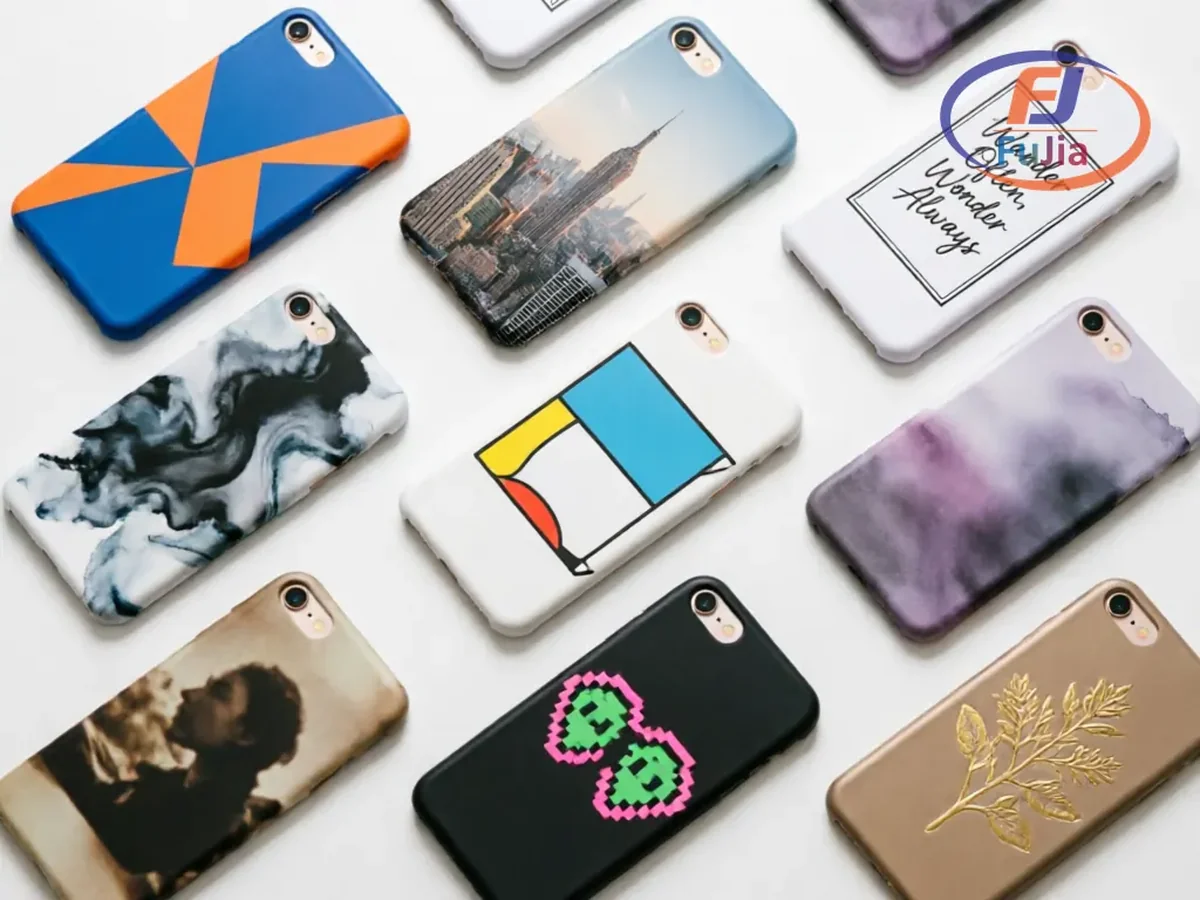
Phone Case Manufacturing: The Volume Play
Phone case printing is the highest-volume UV application in consumer goods. Here’s how the economics work.
A single 60×90cm UV printer with a 12-slot phone case jig prints 12 cases simultaneously. At photo quality (8-pass), one cycle takes 2–3 minutes. With loading/unloading time, a trained operator produces 200–300 cases per 8-hour shift.
Per-case cost breakdown:
| Cost Component | Per Case |
|---|---|
| UV ink (CMYK+W) | $0.15–$0.40 |
| Varnish (optional) | $0.05–$0.10 |
| Blank case | $0.80–$2.50 |
| Electricity | $0.02–$0.05 |
| Labor (8hr shift) | $0.30–$0.80 |
| Maintenance allocation | $0.05–$0.15 |
| Total cost | $1.37–$4.00 |
| Wholesale selling price | $3.00–$8.00 |
| Retail selling price | $15–$35 |
The margin stack is significant. A print shop buying blank cases at $1.20 and selling finished cases wholesale at $5.00 clears $3.80 per case, or $1,140 per day at 300 cases/day. The printer pays for itself in 2–3 weeks of steady production.
This is why phone case manufacturers buy UV printers in batches. Once one machine proves profitable, they add a second and third. Your job as an OEM seller is to make that first purchase easy and the repeat orders automatic.
What You Can Customize in a UV Printer OEM Deal
| Customization | Feasibility | Cost Impact | Timeline |
|---|---|---|---|
| Brand logo + exterior | Easy | +3–8% per unit | 2–3 weeks |
| Custom RIP software skin | Moderate | $1,000–$3,000 one-time | 3–6 weeks |
| Fixture/jig library | Easy | +$50–$200 per jig set | 1–2 weeks |
| Ink formulation (flexible, hard, food-safe) | Moderate | +10–20% per liter | 4–8 weeks for custom formula |
| Print bed size | Moderate | +$500–$2,000 per size tier | 4–6 weeks |
| UV lamp wavelength (365nm vs 395nm) | Requires engineering | $2,000–$5,000 NRE | 6–10 weeks |
| Control panel language | Easy | $200–$500 one-time | 1–2 weeks |
| Automated loading/unloading | Full OEM | $3,000–$8,000 per unit | 8–12 weeks |
For phone case OEM specifically, the jig system is your competitive moat. A well-designed jig holds cases securely during printing, positions them precisely for multi-color registration, and swaps quickly for different phone models. Custom jigs cost $30–$80 each to manufacture — sell them as a “Phone Case Starter Kit” with the printer for an additional $400–$800 per kit.
How to Vet a UV Printer Manufacturer
The UV printer market is crowded with trading companies posing as manufacturers. Here’s how to tell the difference.
The 5-Point Vet Checklist
1. Ask for their printhead supplier relationship.
A real UV printer manufacturer buys printheads directly from Epson, Ricoh, or Konica Minolta authorized distributors. Ask to see the purchase records. If they’re buying printheads through a gray-market channel, the printheads may be refurbished, rejected QC units, or outright counterfeits. This matters more for UV than DTF because UV ink cures with high-energy light — a compromised printhead fails faster under UV conditions than under standard DTF conditions.
2. Test UV curing quality.
Request sample prints on three substrates: acrylic, TPU phone case, and aluminum. After printing, test:
– Adhesion: Cross-hatch test with tape pull (should pass ASTM D3359 4B or better)
– Scratch resistance: Fingernail test after 24-hour cure
– Flexibility: Bend the TPU sample 180° — ink should not crack
– Color consistency: Measure Delta E between first and last print in a 50-unit batch (should be < 3.0)
3. Verify UV lamp specification.
UV printers use LED UV lamps at either 365nm or 395nm wavelength. 395nm is standard and cures most UV inks. 365nm is required for specific ink formulations (food-safe, industrial coatings). The wrong wavelength means under-cured ink that remains tacky and eventually flakes. Ask the manufacturer which wavelength their system uses and verify it matches the ink supplier’s specification.
4. Check the motion system.
The X-axis rail (print head carriage) is the most mechanically stressed component in a UV flatbed printer. Look for:
– THK or Hiwin linear guides (not generic Chinese rails)
– Servo motors (not stepper motors) for the print carriage
– Ball screw or belt drive with tension adjustment
– Machine frame rigidity — lift one corner of the frame; if it flexes, the print registration will drift over time
5. Ask about firmware access.
Some manufacturers lock firmware updates behind a proprietary tool, meaning you can’t apply bug fixes or new features without going through them. For an OEM brand, you need either full firmware access or a guaranteed 48-hour response time for firmware issues. Clarify this before signing.
Red Flags When Buying UV Printers Wholesale
These patterns come from documented buyer experiences in the UV printer market.
1. “No maintenance required.” Every UV printer requires maintenance. UV ink cures when exposed to light, including ambient light leaking into the print head area. Neglect maintenance and the ink cures inside the nozzles, permanently blocking them. Any manufacturer claiming zero maintenance is lying.
2. Vague printhead specifications. If the spec sheet says “high-resolution printhead” without naming the model (XP600, i1600, Gen5), they’re hiding something — usually a refurbished or rejected unit.
3. No jig/fixture ecosystem. A UV printer without a jig system is a paperweight for phone case work. If the manufacturer doesn’t offer jigs for at least the 20 most popular phone models (iPhone 15/16 series, Samsung S24/S25 series), they don’t understand the phone case market.
4. Unusually low pricing. A 60×90cm Ricoh Gen5 UV printer for under $6,000 is not a deal. The printhead alone costs $1,500–$3,000. Factor in the frame, electronics, UV lamp system, and software — a legitimate machine at that price point is structurally impossible with genuine components.
5. Single ink supplier dependency. Some manufacturers lock you into their proprietary ink through firmware-level chip authentication (similar to printer cartridge DRM). Before buying, confirm the machine accepts third-party UV ink. If it doesn’t, your consumable margin disappears.
FAQ
Q: What’s the minimum investment to start a UV printer brand?
A: For a focused phone case OEM line, budget $15,000–$25,000 for your first batch of 5–10 entry-level machines (XP600, A3/A2 size) with custom branding, jig kits, and a basic ink supply. Add $3,000–$6,000 for CE certification per model.
Q: How long does a UV printer last?
A: The machine frame and electronics last 5–8 years with proper maintenance. The consumable components are: printheads (6–12 months for XP600, 3–5 years for Ricoh Gen5), UV lamps (2,000–3,000 hours), and dampers/capping stations (12–18 months). Budget $800–$2,000 per year in consumable replacements.
Q: Can UV printers print on curved surfaces like bottles?
A: Standard flatbed UV printers cannot. For cylindrical objects, you need either a rotary attachment ($500–$1,500 add-on for flatbeds) or a dedicated UV cylinder printer ($8,000–$20,000). UV DTF is an alternative — print on film first, then transfer to curved surfaces — but durability is lower than direct UV printing.
Q: What certifications are needed for UV printers?
A: CE marking (EU), FCC compliance (US), and RoHS for electronic components. UV printers also produce ozone during operation — some jurisdictions require ventilation compliance documentation (EPA ozone guidelines). Budget $3,000–$6,000 and 4–8 weeks for certification.
Q: Is UV ink safe for food-contact surfaces?
A: Standard UV ink is not food-safe. For food packaging and drinkware, you need UV ink certified to FDA 21 CFR 175.300 or EU Regulation 10/2011. These inks cost 30–50% more than standard UV ink and require specific lamp wavelengths (typically 365nm). Verify certification with your ink supplier before marketing any printer as “food-safe.”
Next Steps
UV printers are a different business than DTF — higher ticket, longer sales cycles, but customers who buy in batches and stay for years.
- Pick your segment first. Don’t try to serve phone case manufacturers and industrial signage shops with the same machine. Phone case work needs precision and jigs. Signage needs speed and large format. Pick one, spec for one.
- Source 2–3 manufacturers with the printhead you’ve chosen. Test them side-by-side with the same print file on the same substrates. The one with the best adhesion test results wins.
- Build a jig library. For phone case OEM, offer jigs for the 20 most popular phone models globally. This is your competitive advantage — a customer who buys your printer because you have an iPhone 16 Pro Max jig won’t switch to a competitor who doesn’t.
- Stock UV ink in 4 colors minimum. CMYK + White is standard. Add Varnish as a premium upsell. If you target food/drinkware customers, stock food-safe certified ink as a separate SKU.
- Offer a maintenance plan. UV printers need more scheduled maintenance than DTF. An annual maintenance contract at $600–$1,200 per machine is nearly pure profit for you and reduces customer churn because they’re invested in the relationship.
Related Reading
Factory-Direct Printing Equipment – Talk to the Source
Fujia Print manufactures DTF and UV printers in Guangzhou. Not a trading company, not a middleman. One supplier for your printer, consumables, and after-sales. Factory-direct pricing, in-house R&D, real support that answers the phone.
