

Sublimation paper for inkjet printers works only in inkjets with piezo heads and pigment-or-sublimation-ready ink systems, which in practice means Epson printers and nothing else: EcoTank models from the ET-15000 down to the ET-2800 convert routinely, while HP and Canon thermal-head machines cannot jet sublimation ink at all. The paper itself is a 105-125 gsm coated sheet that holds dye sublimation ink on its surface instead of absorbing it, and the pairing produces transfers identical to dedicated sublimation printers at 720×1440 dpi class. This page maps which inkjets convert, which papers match them, and where the results differ from production hardware.
Key Takeaways
- Conversion eligibility is head technology: Epson piezo heads accept sublimation ink, and HP and Canon thermal heads boil it into crystal blockage within days.
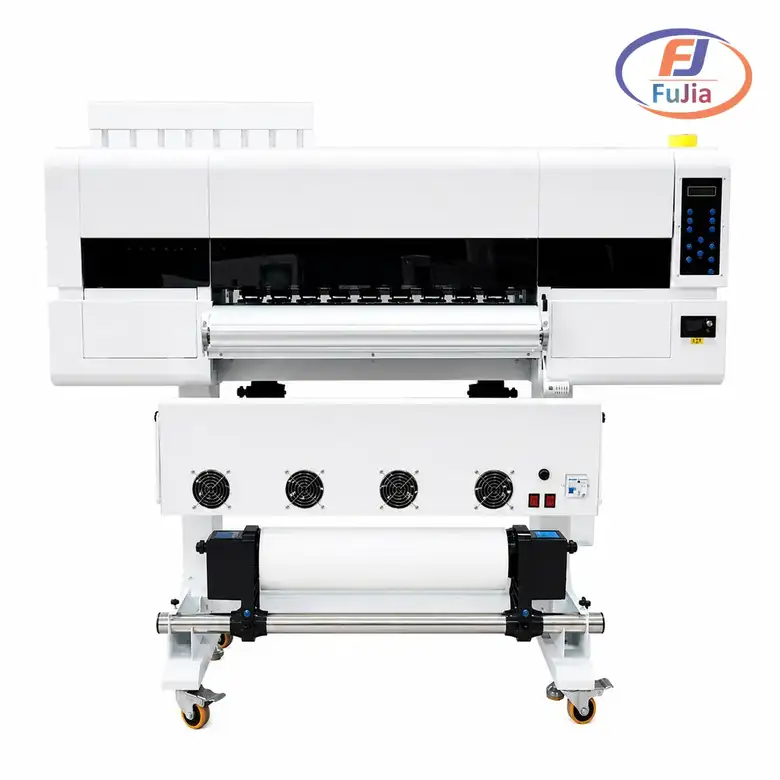
- The proven Epson conversion ladder runs ET-2400/2800 for craft volume, ET-15000 for 11×17 inch sheets, and F570 for roll-fed production.
- Sublimation paper weights run 105-125 gsm, and the coating must keep ink on the surface for the 30-60 second dry-down before pressing at 385 °F.
- Converted inkjet output matches dedicated sublimation printers on color at 720×1440 dpi, with the difference appearing in duty cycle, not quality.
- We recommend dedicating a cheap converted printer to sublimation permanently, because the swap is one-way once sublimation ink enters the lines.
Which Inkjet Printers Actually Convert
The compatibility table sorts the inkjet market by head technology, and the sorting is absolute rather than a matter of degree. Only piezo heads survive sublimation ink:
| Printer family | Head type | Sublimation verdict |
|---|---|---|
| Epson EcoTank ET series | piezo | converts, proven path |
| Epson WorkForce | piezo | converts, cartridge swap |
| Epson SureColor F570 | piezo, roll | production native |
| HP inkjets | thermal | never, ink boils |
| Canon inkjets | thermal | never, ink boils |
| Brother inkjets | piezo, some models | possible, unproven support |
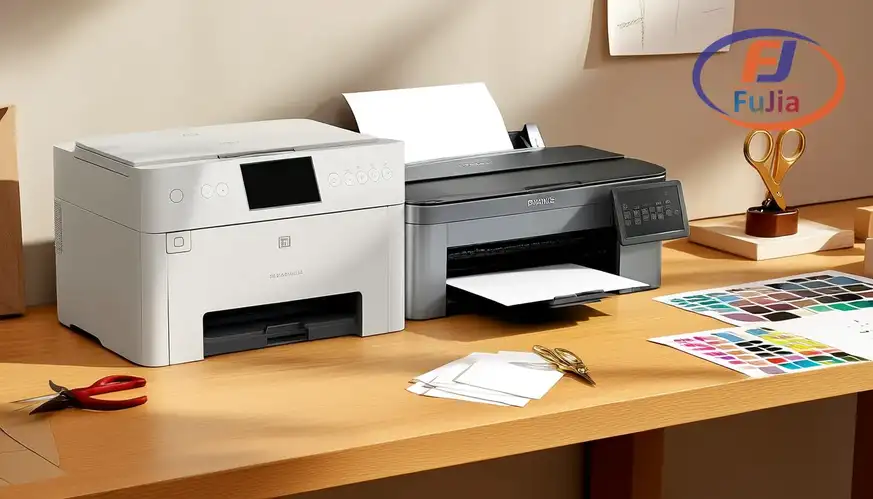
The conversion hardware in view:
The thermal-head failure is chemistry rather than opinion: thermal heads eject ink by flash-boiling a bubble inside the chamber, and sublimation dye carrier boils into crystals that cement the head within days, which is why the HP and Canon rows end the conversation, per the head-physics our consumables guide documents across ink families. The Epson path works because piezo heads eject by mechanical flex without heat, and the same property that makes them tolerant of sublimation ink makes EcoTank models the default conversion platform worldwide.The ET-2800 class serves craft sellers at 10-20 sheets daily indefinitely, while shops above 50 sheets daily should jump to the F570 roll machine because sheet feeding becomes the bottleneck long before print quality does.
Paper Choice and the Transfer Recipe
The paper table matches sheet classes to printer classes and pressing scenarios, because paper weight and coating interact with both. All weights are gsm and all presses assume 385-400 °F at medium pressure:
| Paper class | Weight | Sheet sizes | Best pairing |
|---|---|---|---|
| Craft coated | 105-110 gsm | 8.5×11 inch, A4 | ET-2800 class |
| Standard production | 120-125 gsm | 11×17 inch, A3 | ET-15000 class |
| Roll paper | 100-120 gsm | rolls to 24 inch | F570 class |
| Tacky low-shift | 110-125 gsm | all sheet sizes | blanks with ghosting risk |
The pressing workflow:
When it comes to the dry-down window, sublimation paper holds ink on its coating. A print pressed before the 30-60 second surface dry transfers wet ghosting onto the blank that no cure fixes afterward. The pressing recipe otherwise stays simple across the table: 385-400 °F for 40-60 seconds on polyester or 60-90 seconds on coated hard goods, medium pressure. Protective paper between plate and transfer to catch any dye strike-through, per the transfer protocol our mug and drinkware cases document for hard-good production. We recommend tacky-paper variants for anything cylindrical or smooth-sided, because the adhesive face eliminates the micro-shift that turns sharp text into soft double-edges on mugs and tumblers.
Converted Inkjet Versus Dedicated Printers
The comparison table prices the two paths honestly, and the difference lands on duty cycle rather than print quality. Costs assume craft-scale volumes of 200-500 sheets monthly:
| Dimension | Converted EcoTank | SureColor F570 | Verdict |
|---|---|---|---|
| Entry cost | $250-600 | $1,500-2,000 | conversion wins startup |
| Print quality at 720×1440 | equivalent | equivalent | tie |
| Daily duty ceiling | 20-50 sheets | 200+ sheets | F570 at scale |
| Ink capacity | tanks, cheap refills | pouches, larger | F570 at scale |
| Color management | basic driver | RIP ready | F570 for color work |
The comparison in one frame:
A gift seller we supply ran the conversion path for its first 14 months on an ET-15000 at 30-60 sheets weekly, and the printed output was indistinguishable from the F570 samples its supplier sent for comparison, which is why the upgrade finally happened for roll convenience and 24 inch ornament stock rather than quality, per the scaling pattern our promotional products cases document for growing craft operations. We recommend the converted path below roughly 1,000 sheets monthly and the F570 class above it, and the one rule both paths share is permanence: sublimation ink in the lines is a one-way trip, so the conversion printer never returns to dye ink no matter how the business pivots.

Can I use sublimation paper with an inkjet printer?
Sublimation paper works with an inkjet printer only when the printer uses piezo heads and carries sublimation ink, which in practice means converted Epson EcoTank and WorkForce models plus the native SureColor F series. HP and Canon inkjets use thermal heads that boil sublimation ink into crystals and destroy themselves within days, so those brands never convert regardless of paper. Paper alone changes nothing, because the ink and the head do the chemistry: pair sublimation paper with a converted Epson and 385-400 °F pressing, and the results match dedicated sublimation hardware at craft volumes.
Can I turn my inkjet printer into a sublimation printer?
You can turn an Epson inkjet with piezo heads into a sublimation printer by filling it with sublimation ink, and the conversion is proven across the EcoTank line from the ET-2400 up to the ET-15000. The change is one-way, because sublimation ink in the lines means the printer never runs regular dye ink again, so dedicate a cheap unit rather than converting your document printer. Thermal-head HP and Canon inkjets cannot convert at any cost. The converted Epson prints transfer-ready output at 720×1440 dpi that presses identically to dedicated sublimation printers, and that equivalence is the entire conversion argument.
What can I use instead of sublimation paper?
Sublimation paper has no true substitute for dye-sublimation pressing, because its coating holds ink on the surface for film-transfer instead of absorbing it the way copy paper does. Workarounds exist at reduced quality: coated butcher paper and high-smoothness presentation paper produce pale, fuzzy transfers good enough for tests but not for products, and some crafters report acceptable one-off results on heavy gloss photo paper. The honest alternative to buying sublimation paper is switching decoration methods entirely, where heat transfer vinyl and DTF transfers cover polyester blends and cotton that sublimation cannot reach.
Why is my sublimation print faded after pressing?
Faded sublimation prints after pressing trace to four causes in order of frequency: pressing temperature below 380 °F or time under 35 seconds that leaves dye unconverted, fabric content under 65 percent polyester that lacks polymer sites for the dye, pressing before the paper’s 30-60 second dry-down completes which washes the transfer in ghosting, or aged sublimation ink losing density in the tank. Fix the recipe first at 385-400 °F for 45-60 seconds on 100 percent polyester blanks, confirm the dry-down pause, and date your ink bottles, because each cause alone produces the same faded disappointment the diagnosis exists to prevent.
Verdict
Sublimation paper for inkjet printers is an Epson-piezo conversation: converted EcoTank models from $250-600 print transfer-ready output at craft scale, 105-125 gsm coated sheets hold the ink for its 30-60 second dry-down, and the pressing recipe at 385-400 °F for 40-60 seconds does the rest. Thermal-head HP and Canon machines never convert, print quality matches dedicated hardware at sheet volumes, and the upgrade to roll-fed production arrives for throughput rather than quality reasons. Dedicate the converted printer permanently, match paper weight to press surface, and test every new blank before production. For conversion-grade ink and paper bundles tested on your printer, contact Fujia Print for supply-side support.
Sources
- Wikipedia: Dye-sublimation printing: transfer chemistry and process.
- Epson SureColor F series: native sublimation printer specifications.
- AATCC: transfer fastness testing standards.
- Fujia Print consumables guide: ink and paper pairing data.
