

UV flatbed printer calibration is a layered routine: daily nozzle checks and purge cycles take 5 minutes, weekly step and feed calibration takes 20, and full color linearization against a measurement target runs quarterly or after any head service, with each layer catching failures the previous one cannot see. Calibration is the difference between a printer and a consistent printer, because UV ink chemistry drifts with temperature and head wear in ways that show up as banding, color shift, and registration errors long before anything mechanically breaks. This page walks each calibration layer, names the test targets that diagnose honestly, and schedules the routine that keeps output repeatable.
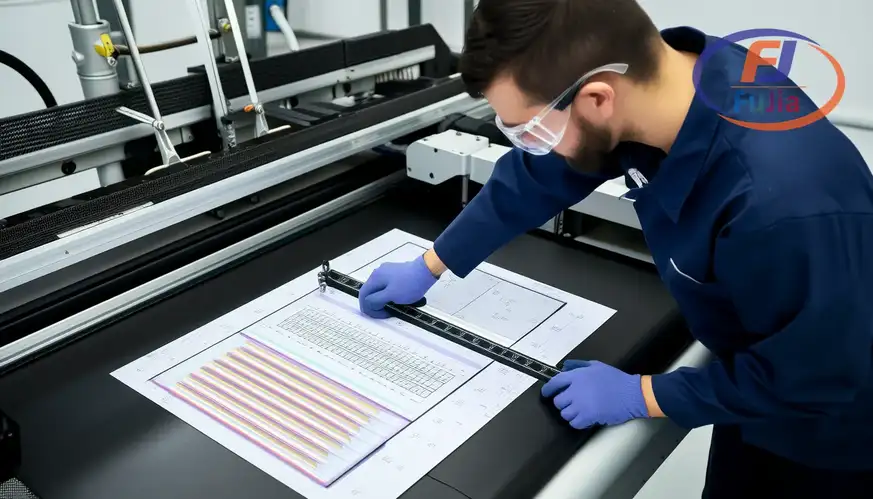
Key Takeaways
- The daily layer is 5 minutes: nozzle check pattern, automatic purge when gaps appear, and a visual banding pass on scrap before production runs at 720×1440 dpi.
- Step calibration sets unidirectional and bidirectional firing alignment, and mis-step shows as horizontal banding that changes with print direction.
- Color linearization maps ink density to a linear ramp against a measured target, holding Delta-E under 2 across the scale on a quarterly cadence.
- White ink density calibration is separate and critical, because white settles and shifts opacity in ways CMYK never does.
- We recommend printing a saved calibration target on the actual production substrate quarterly, because calibration on test paper hides substrate-specific drift.
The Three Calibration Layers and What Each Fixes
The layer table maps the routine from daily habit to quarterly deep calibration, and each layer has a signature failure it owns. Times assume a mid-format 6090 or 9060 flatbed:
| Layer | Frequency | Time | Failure it fixes |
|---|---|---|---|
| Nozzle check and purge | daily | 5 min | missing nozzles, banding |
| Step and feed alignment | weekly | 20 min | horizontal banding, ghosting |
| Color linearization | quarterly | 1-2 hours | color drift across the scale |
| White density check | weekly | 10 min | opacity loss on dark media |
The daily check pattern:
The layering matters because the failure signatures do not overlap: a clogged nozzle shows as a clean gap in the check pattern, mis-step shows as direction-dependent banding that no purge fixes, and linearization drift shows as color that is uniformly wrong rather than structurally broken, per the diagnostic logic our UV printers service guides document across platforms.The skipped layer is almost always weekly step calibration, because its failure is subtle at single-pass settings and dramatic only on production runs, which is exactly where the cost lands. Shops running below 45 percent RH see white density drift faster than the schedule assumes, and holding the room at 50-65 percent RH protects the weekly line as much as the heads. UV lamps add their own drift, and irradiance falling under 80 percent of new spec shifts cure before color ever complains.
The Weekly Routine: Step, Feed, and White Density
The weekly table details the three checks that keep a flatbed honest between linearizations, and each check prints a diagnostic pattern that reads like a chart:
| Check | Pattern printed | What good looks like | Fix when bad |
|---|---|---|---|
| Bidirectional step | vertical line grid | single clean line per column | adjust step value in 1-2 unit moves |
| Feed calibration | bar code style target | scanner reads clean | adjust media feed percentage |
| White density | white ramp on black film | even ramp, no banding | adjust white curve and circulate |
The weekly patterns in view:
When it comes to step calibration, the adjustment moves in tiny increments. Impatience turns one clean line into an overcorrected sawtooth, which is why the routine adjusts in 1-2 unit moves and reprints between each, per the alignment discipline our service documentation applies across Ricoh and Epson head platforms. White density is the second weekly non-negotiable, because white pigment settles within days and a flat white ramp today predicts underbase failures next week on every dark-garment and dark-media job. We recommend logging each weekly pattern in a dated photo archive, because the archive turns subtle drift into a visible trend that maintenance can act on before output quality complains. Keep the room at 50-65 percent RH and 20-25 °C. The weekly numbers stay where the schedule expects them.
Color Linearization and the Quarterly Target
The linearization table walks the deep calibration that resets the color engine, and its target is a measured ramp rather than a visual guess. The routine assumes a spectro or calibrated camera workflow:
| Linearization step | Action | Target |
|---|---|---|
| Print raw ramp | solid steps 10-100 percent | uncorrected baseline |
| Measure steps | spectro or reference scan | density readings |
| Build correction curve | map measured to linear | smooth monotonic curve |
| Verify | reprint and re-measure | Delta-E under 2 per step |
| Lock profile | save as production ICC | archived with date |
The linearization workflow:
We recommend running linearization on the substrate that production actually uses, because calibration on standard test paper hides the substrate-specific gain that coated boards, glass, and acrylic each impose on cured ink, per the color management practice our signage operations apply to mixed-media shops. A trophy shop we supply learned this in reverse: its printer held perfect calibration targets for months while acrylic output drifted visibly, and a substrate-specific linearization on clear acrylic restored color within one afternoon, per the substrate discipline our signage and display cases document for multi-material production. Linearization is not a repair for failing heads, and running it to chase what a nozzle check would reveal wastes a measured afternoon on a mechanical problem. Ink temperature at the head matters too, and holding the room at 25 °C keeps viscosity where the curves were built.


How often should I calibrate a UV flatbed printer?
A UV flatbed printer needs a layered calibration schedule: nozzle checks and purge cycles daily in about 5 minutes, step and feed alignment weekly in about 20 minutes, white density checks weekly at 10 minutes, and full color linearization quarterly or after any head service in 1-2 hours. The schedule flexes with duty: shops running multi-shift production verify nozzles twice daily, and shops after substrate changes run a verification print before production resumes. Skipping the weekly layer is the common failure, because its drift is subtle until it appears across a paid production run.
How do I fix horizontal banding on my UV printer?
Horizontal banding on a UV printer traces to two causes with different fixes: missing nozzles show as consistent gaps regardless of print direction and clear with purge cycles or manual cleaning, while step misalignment shows as banding that changes with unidirectional versus bidirectional printing and clears only through step calibration. Run the nozzle check first, purge once if gaps appear, then run the bidirectional step pattern and adjust in 1-2 unit increments with a reprint between each move. Banding that survives both fixes points to media feed error or a failing head, and the feed calibration target rules that line in or out.
What is color linearization in UV printing?
Color linearization is the process of printing a density ramp, measuring each step with a spectrophotometer, and building a correction curve so that 50 percent ink delivers 50 percent density across every channel, which becomes the foundation that ICC profiles build on. The routine prints a raw ramp, measures it, maps measured values to a linear target, and verifies the result at Delta-E under 2 per step before locking the curve into the production profile. Linearization runs quarterly and after head changes. It should happen on the actual production substrate, because coated boards, glass, and acrylic each shift cured ink density differently.
Why does my white UV ink look weak on dark materials?
Weak white UV ink on dark materials usually traces to settled pigment rather than failing hardware: white ink settles within days of stillness, and the settled density prints as translucent underbase that dark media shows through. Fix the routine first by running the white circulation cycle, printing a white density ramp on black film, and adjusting the white curve until the ramp reads even, then verify on the production substrate. Persistent weakness after circulation and curve correction points to aged ink losing titanium dioxide suspension or a partially clogged white channel, and both respond to a fresh ink batch and damper service rather than to repeated recalibration.
Verdict
UV flatbed printer calibration is a layered discipline rather than a single event: daily nozzle checks catch mechanical gaps in 5 minutes, weekly step and white-density patterns catch alignment and settling drift in half an hour, and quarterly linearization on the real production substrate resets the color engine to Delta-E under 2. The layers own different failure signatures, the dated photo archive turns drift into trends, and the substrate-specific linearization is what keeps acrylic output as honest as paper targets. Run the routine on schedule, log every pattern, and let calibration absorb the drift that chemistry and wear impose. For calibration support and substrate-specific profiles on your platform, contact Fujia Print with your machine model.
Sources
- Wikipedia: Color management: ICC and linearization fundamentals.
- Wikipedia: Inkjet printing: piezo head and nozzle architecture.
- IDEAlliance calibration guides: print standards and verification.
- Fujia Print UV service guides: platform-specific calibration notes.
